ESP32 Starter Kit
5. Test Result
After uploading code and powering on, the amplifier circularly plays music tones with corresponding frequency: DO,
Re, Mi, Fa, So, La, Si.
6. Knowledge Expansion
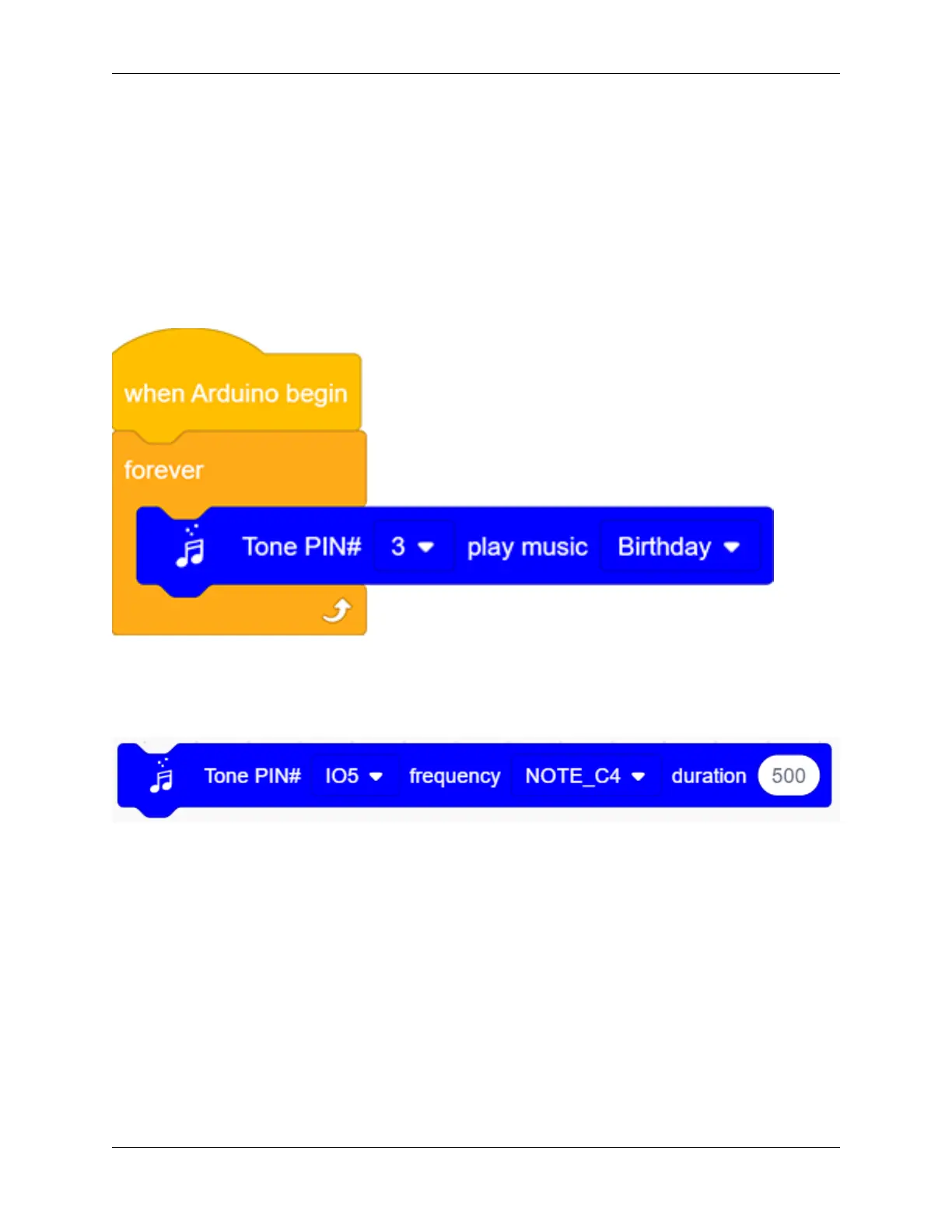
Let’s make it play a birthday song. We have already added some songs in library so you can directly drag these song
blocks from “Music”.
Code:
7. Code Explanation
1. Set the tone frequency. After setting the pin, we can select the frequency to compose music.
2. Music module, for the convenience of use, we have integrated 6 pieces of music in the code, thus, we just need
to set the pin and select the music.
9.2. Scratch Project 205



 To Next Page