ESP32 Starter Kit
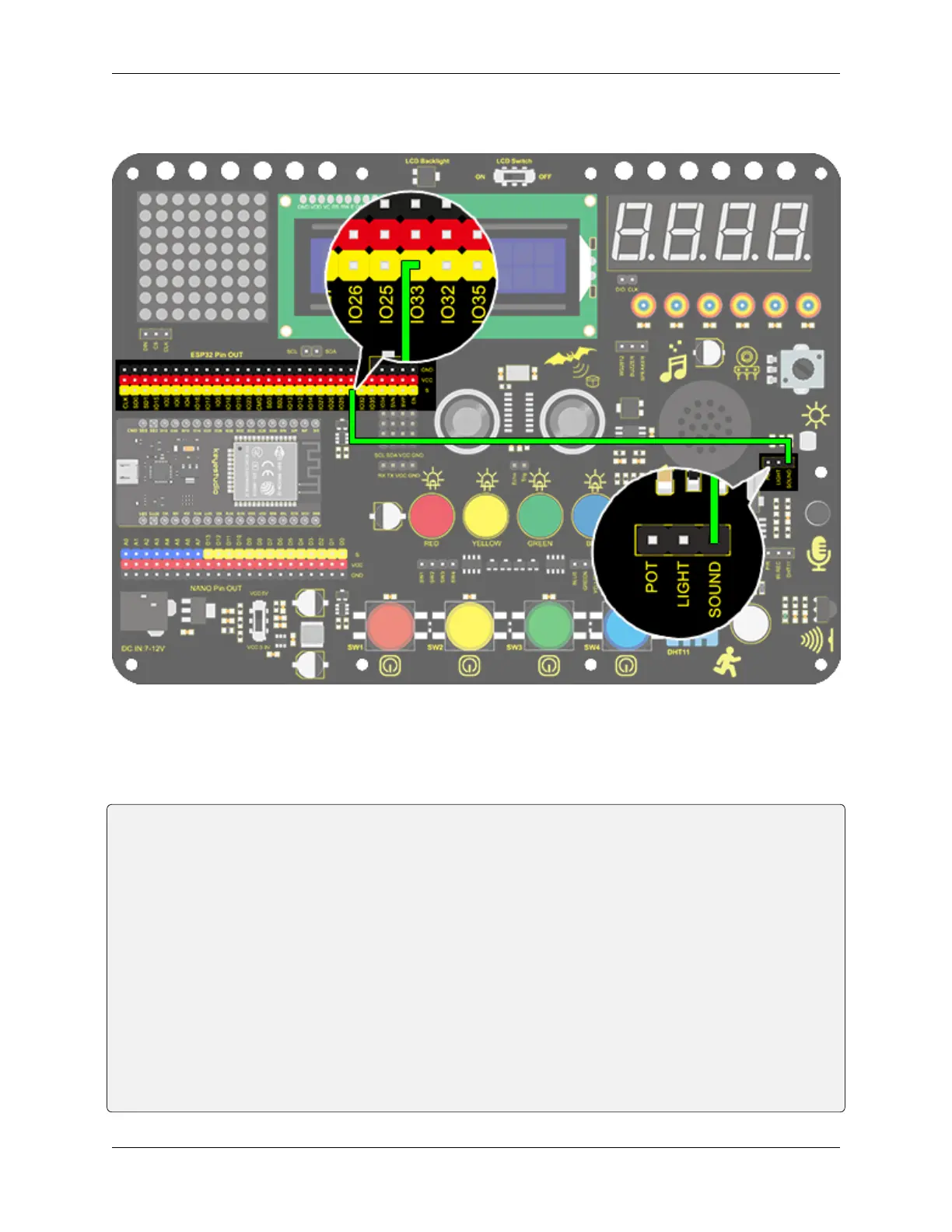
3. Wiring Diagram
4. Test Code
Connect the sensor to pin IO33. Read the sound analog value through analogRead(Pin) function and print it on serial
monitor.
/*
keyestudio ESP32 Inventor Learning Kit
Project 21.1Sound Controlled LED
http://www.keyestudio.com
*/
int sound = 33; //Define sound as IO33
void setup(){
Serial.begin(9600);
pinMode(sound,INPUT);
}
void loop(){
int value = analogRead(sound);
Serial.println(value);
}
122 Chapter 8. Arduino Tutorial



 To Next Page