ESP32 Starter Kit
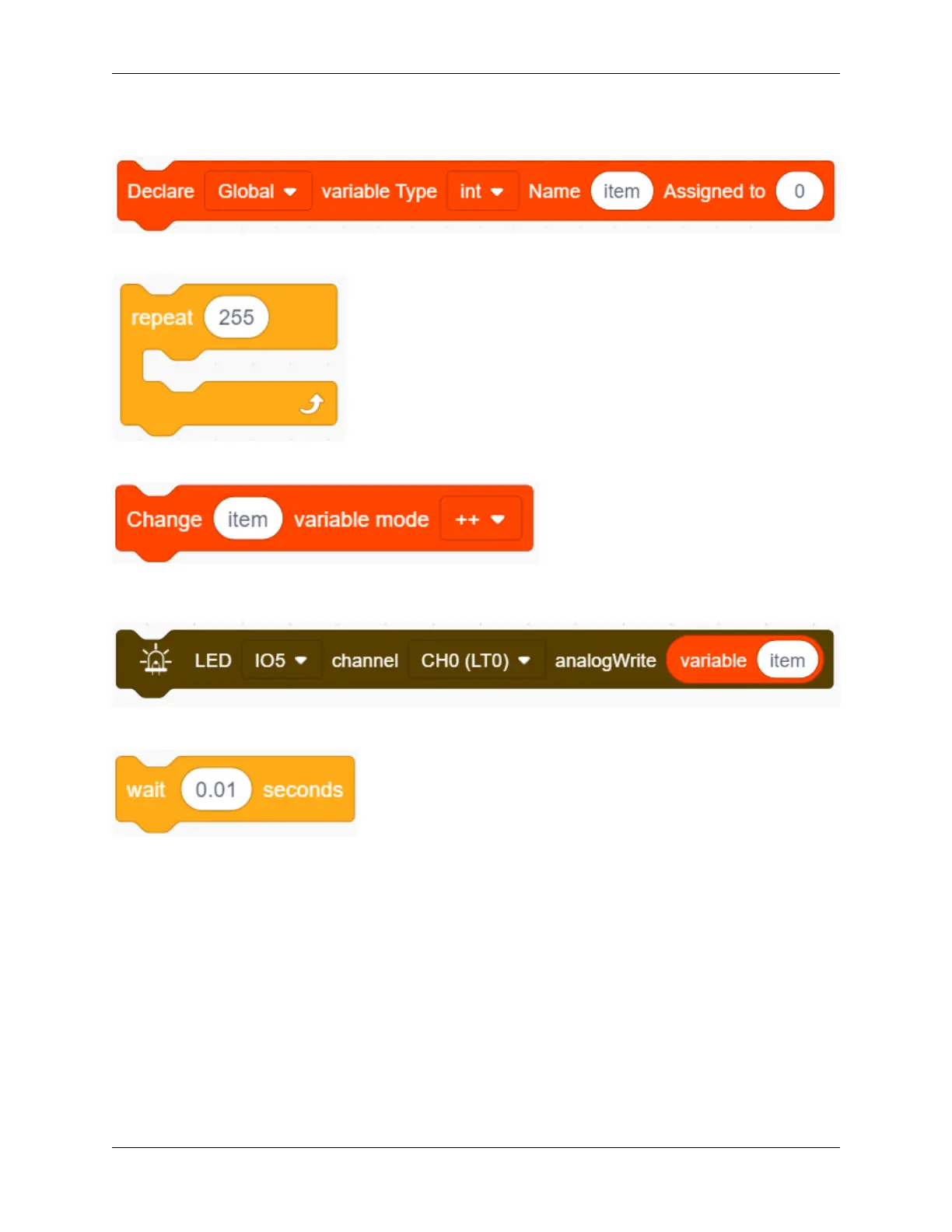
2. Drag the following block from “Variables” part, and define the name to “item” with an initial assignment “0”.
Put this block in “forever” block.
3. Drag the following block from “Control” part and set it to 255 times, which is the maximum value of PWM.
4. Drag the following block from “Variables” part, put “item” as its changed object and set the mode to “++”.
5. Drag the following block from “LED” part and set the LED pin to IO5. Then add an “variable” block in it and
fill in the blank with “item”.
6. Drag the following block from “Control” part and set the time to 0.01s , that is 10ms.
7. According to previous steps, build another code block with the only difference of variable mode “– –”.
172 Chapter 9. Scratch Tutorial



 To Next Page