ESP32 Starter Kit
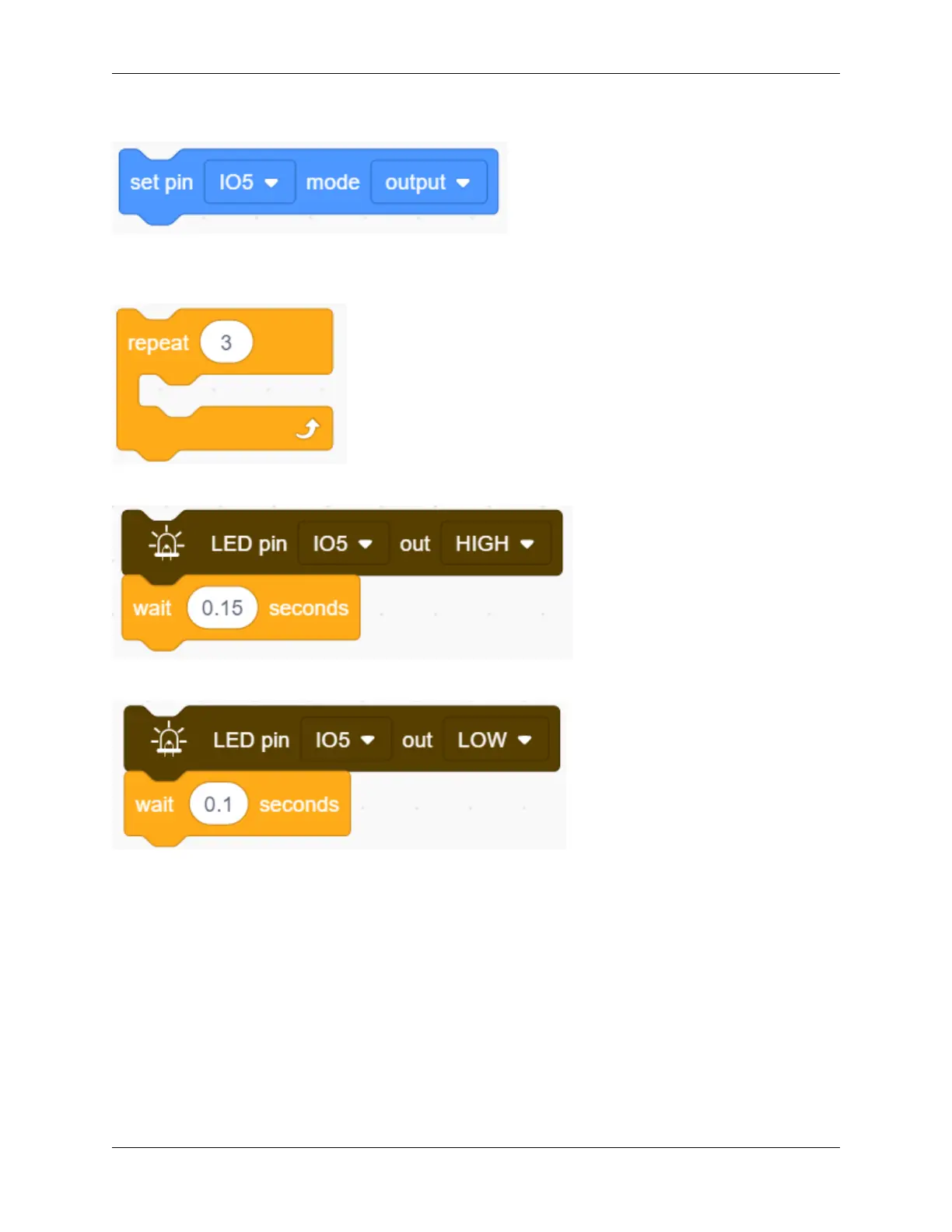
2. Drag the following block in “Pins” part and set the IO5 pin to output.
Letter “S”
3. Drag the following block from “Control” part and set to 3 times, as “S” means blink for 3 times.
4. Drag the following blocks from “LED” part and set the IO5 pin to HIGH. Then set the delay time to 0.15s.
5. Drag the following blocks from “LED” part and set the IO5 pin to LOW. Then set the delay time to 0.1s.
Letter O
6. Refer to previous steps to build the following code blocks. Modify the HIGH ouput to delay 0.4s and LOW to
0.2s.
9.2. Scratch Project 177



 To Next Page