ESP32 Starter Kit
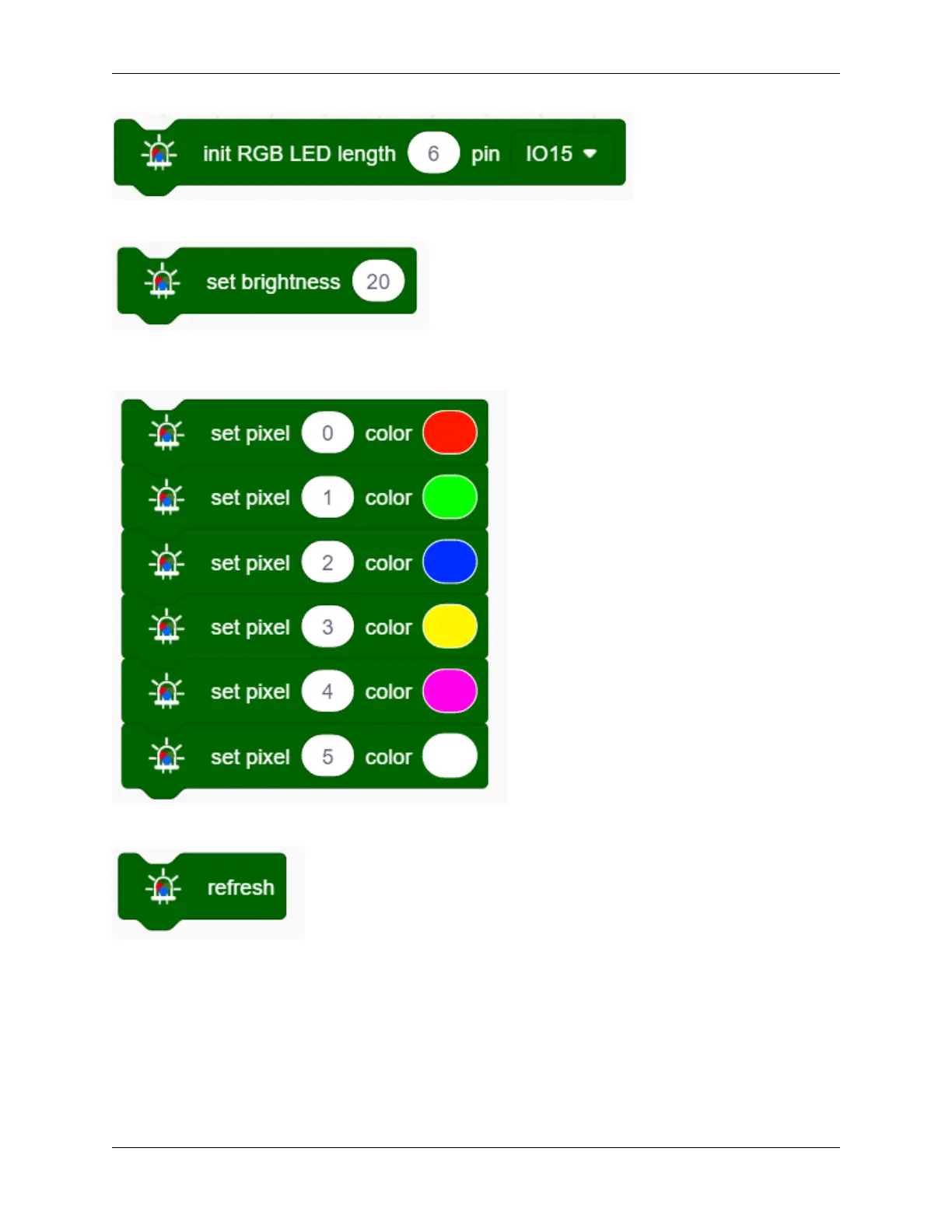
3. Drag the following block from “RGB LED” part and set brightness to 20.
4. Drag the following blocks and set the number of LED to 0 ,1, 2, 3, 4 and 5, then choose red, green, blue, yellow,
purple and white colors.
5. Add the following block.
Complete Code
9.2. Scratch Project 187



 To Next Page