ESP32 Starter Kit
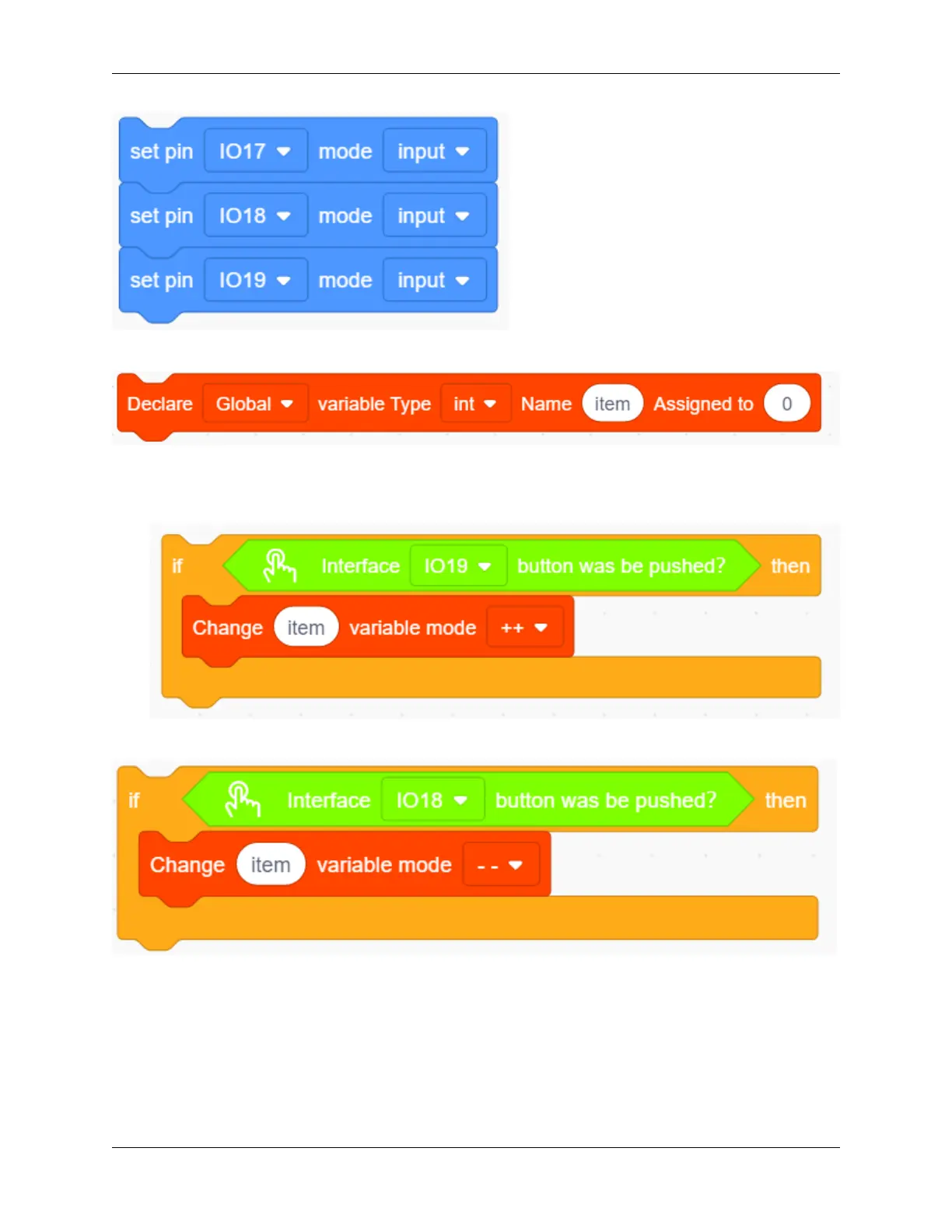
3. put a “variable” block. Set the variable type to int and name to item. Assign 0 as its initial value.
4. Drag an “if” block from “Control” (it executes only when its condition is satisfied). Put a “Button pressed” block
from “Button” to the condition box(the hexagon one) and set the pin to IO19. Drag a “variable mode” block and
put it after “then”, and define it as “item” and set the mode to “++”.
5. Repeat step 4, but set the interface to IO18 and mode to “– –”.
6. Drag another “if” block from “Control” and define its condition that “interface IO17 button was be pushed?”.
Put a variable setting block after “then” and set the “variable by 0”.
238 Chapter 9. Scratch Tutorial



 To Next Page