ESP32 Starter Kit
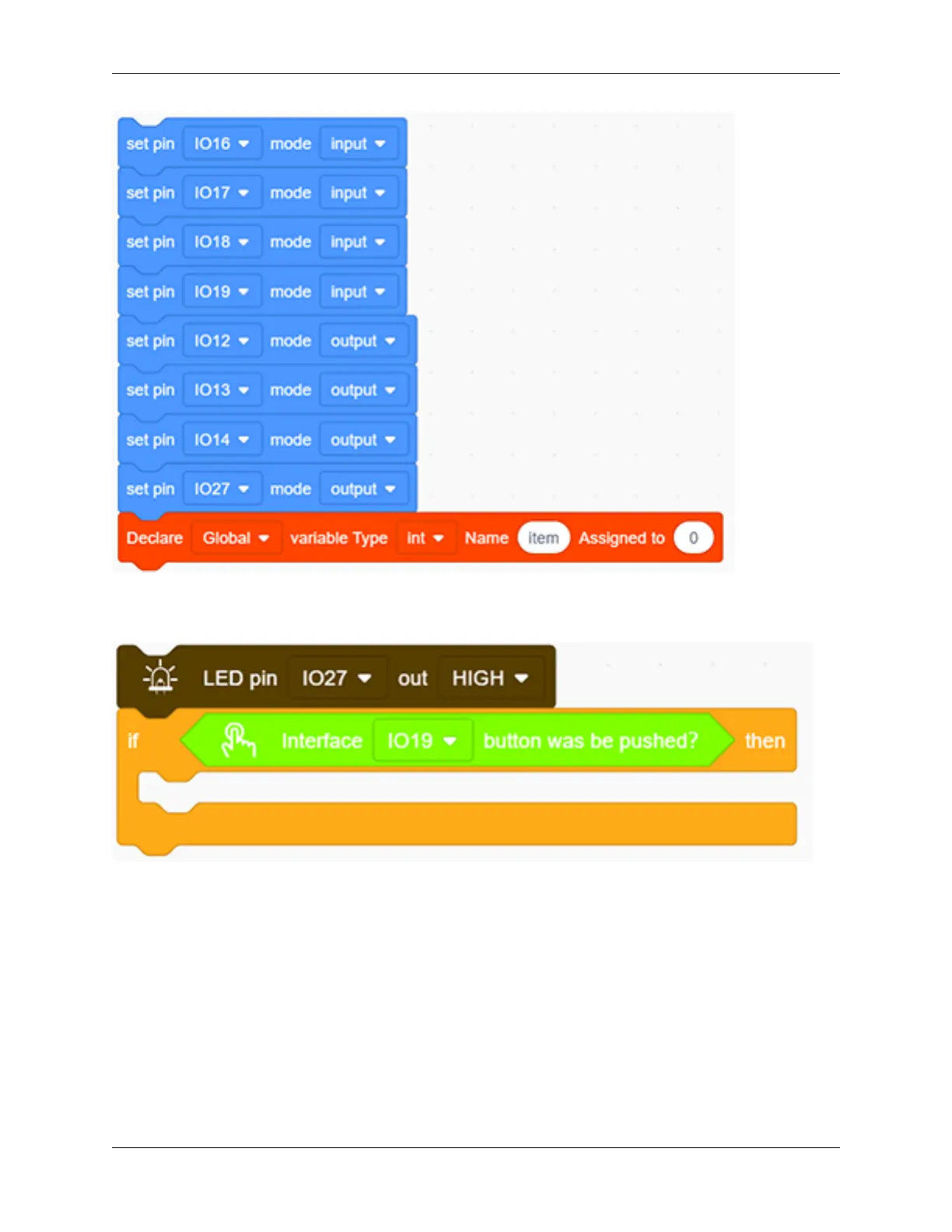
2. Add an “LED output” block, define its pin to IO27 and set the output to HIGH.
3. .Drag an “if” block and add the condition “interface IO19 button was be pushed?”.
4. Add a variable setting and four LED output blocks under “then”. Among them, we name the variable “item”
with an assignment of “0”, and set all outputs to LOW respectively at pin 12,13,14 and 27 (The responder works
only when all LED light off). Likewise, don’t forget a 0.2s delay.
244 Chapter 9. Scratch Tutorial



 To Next Page