ESP32 Starter Kit
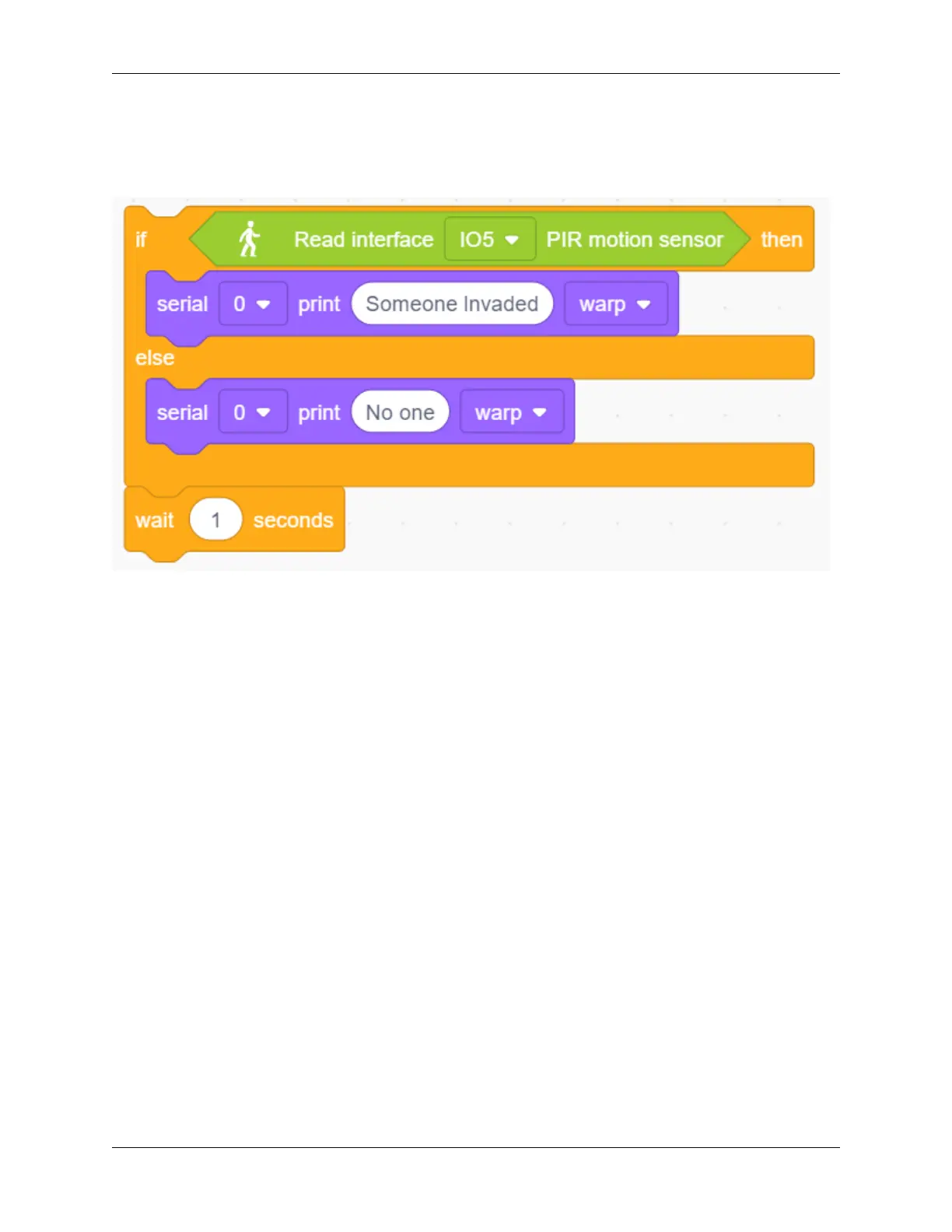
2. Add an “if else” block. Put a “read PIR motion sensor” block in the hexagon box and set the interface to IO5,
thus it will determine whether there is a human motion. Add two “serial print” blocks after “then” and “else”
and set both modes to “warp”. If the condition is satisfied, print “Someone Invaded”. Or else, print “No one”,
then add a 1s delay time.
Complete Code:
258 Chapter 9. Scratch Tutorial



 To Next Page