ESP32 Starter Kit
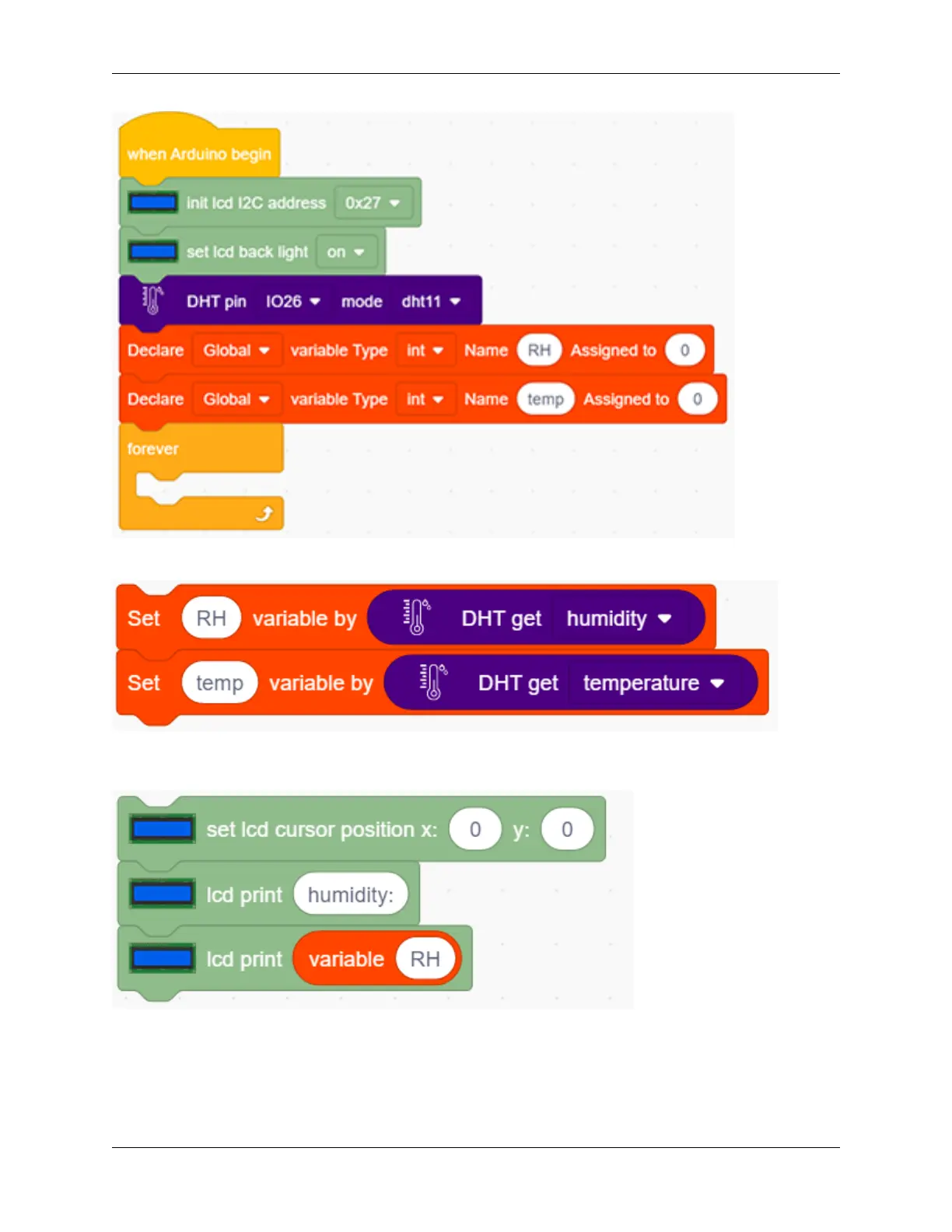
2. Assign humidity value to the variable RH, and the temperature value to the variable temp.
3. Set the LCD display position to x: 0 and y: 0. Add the lcd display module and set the display character to
“humidity:”. Add the lcd display module again and add the variable RH to the white box.
4. Repeat the step 3, but set y : 1 and the display character to “temperature:” and add the variable temp to the white
box.
302 Chapter 9. Scratch Tutorial



 To Next Page