ESP32 Starter Kit
Code
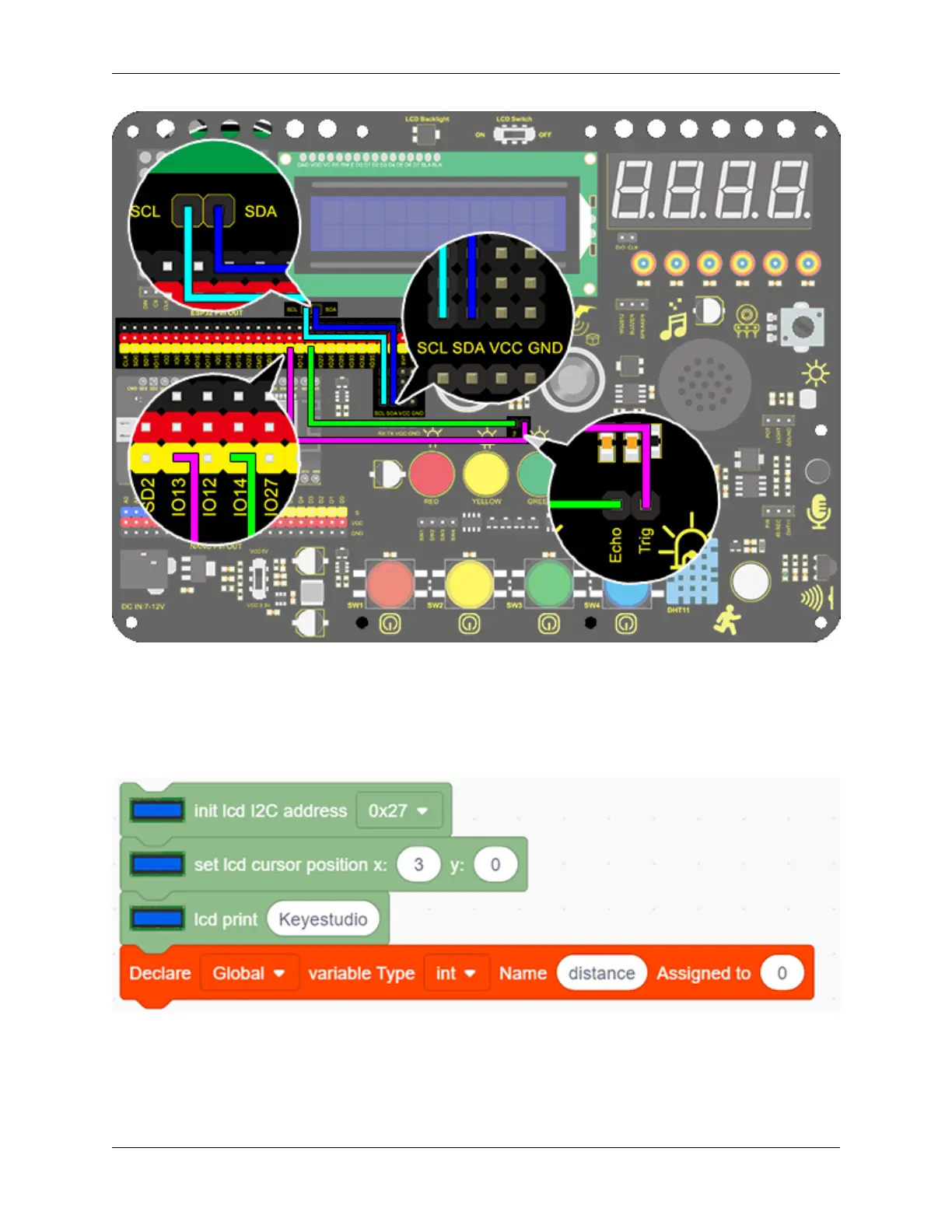
1. Drag the two basic blocks.
2. In “LCD”, initialize the LCD. Drag an “LCD print” block and add character string “Keyestudio” (It also can
be put out of “forever” block as this display is fixed). Add a “variable” block and set type to int and name to
“distance” with an initial assignment of 0.
3. Assign the read distance value to the variable “distance”. Set the LCD to print “Distance” and followed by the
distance value (and we need calculate the front displayed characters in advance to set a cursor followed them).
9.2. Scratch Project 309



 To Next Page