ESP32 Starter Kit
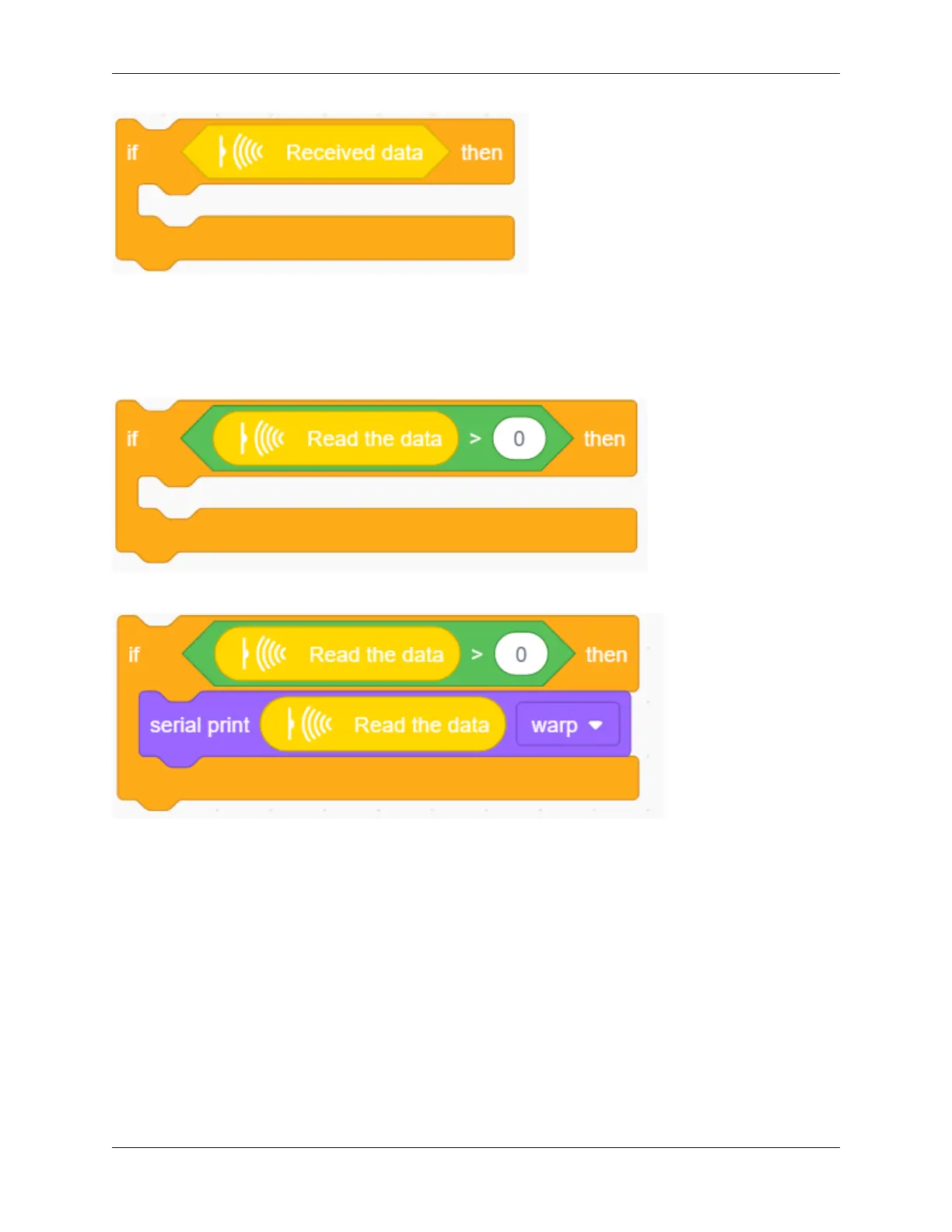
4. Drag another “if” block and set its condition to “Read the data 0”. Only when this condition is satisfied, serial
port starts to print data.
This sensor works so fast that the code may run twice or more when you are pressing control buttons. However,
the second time of a same command will send out a value of 0, so a “>” block is necessary for the avoidance of
duplication.
5. Add a “serial print” block after “then”. Set to print the read data from “IR remote” module in the mode of “warp”.
6. In the end, do not forget to refresh data after execution.
328 Chapter 9. Scratch Tutorial



 To Next Page