EN UG-020 Link 6 user guide r1.0 64
Equally important in knowing the timeline of a safety function is knowing where to find the
current safety function status. For the status of SF05 Monitored stop0 function, there is one
place to look in KortexWebApp: Diagnostics > Status > Safety Functions .
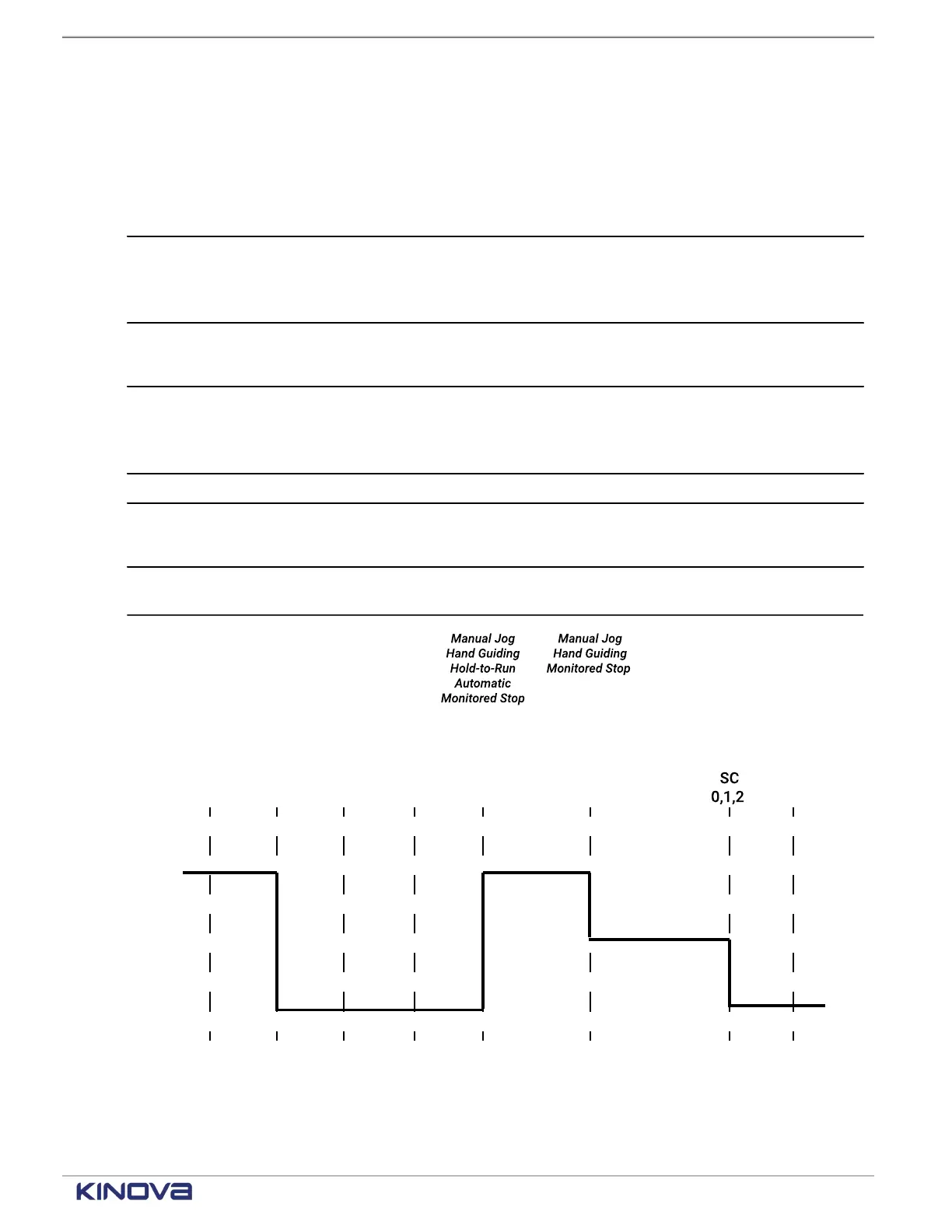
Table 44: SF06 trigger and action timeline
Monitor frequency of trigger 0.01 s
Trigger
• Any part of the flange enters at least one protection zone.
• Any part of the tool enters at least one protection zone.
• Any checkpoint enters at least one protection zone.
Trigger results
• Stop category 2 is deployed.
• The arm is in the state Fault power on.
Reset conditions All conditions must be met.
• Tool sphere is outside all configured protection zones.
• All checkpoints are outside all configured protection zones.
Reset Tap CLEAR FAULT.
Reset result
• The operating mode is Monitored Stop.
• The arm does not move.
Failsafe SF06 can experience processing errors. In this case, stop category 0
is deployed.
Figure 47: Timeline for SF06 before and after being triggered
Related topics
State timeline for the safety output Normal Speed Mode on page 85
+1 514-277-3777 kinovarobotics.com
© 2022 Kinova inc. All rights reserved.



 To Next Page