SECTION 2 - SET-UP
1-2-1
2-1
© 2018 Konami Gaming Inc. P/N 810237
CONCERTO UPRIGHT
(Original Instructions)
SECTION 2
Set-Up
OVERVIEW
Section 2, Set-Up, describes the installation and set-up of the
machine. This section covers the following topics:
• Physical Specications
• Environmental Specications
• Unpacking and Inspecting
• Candle (Signal Tower) Installation
• Drop Box Door Switch
• Slot Accounting System
• Opening and Closing Doors
• Lock Installation
• Bill Validator Options
• Power-Up
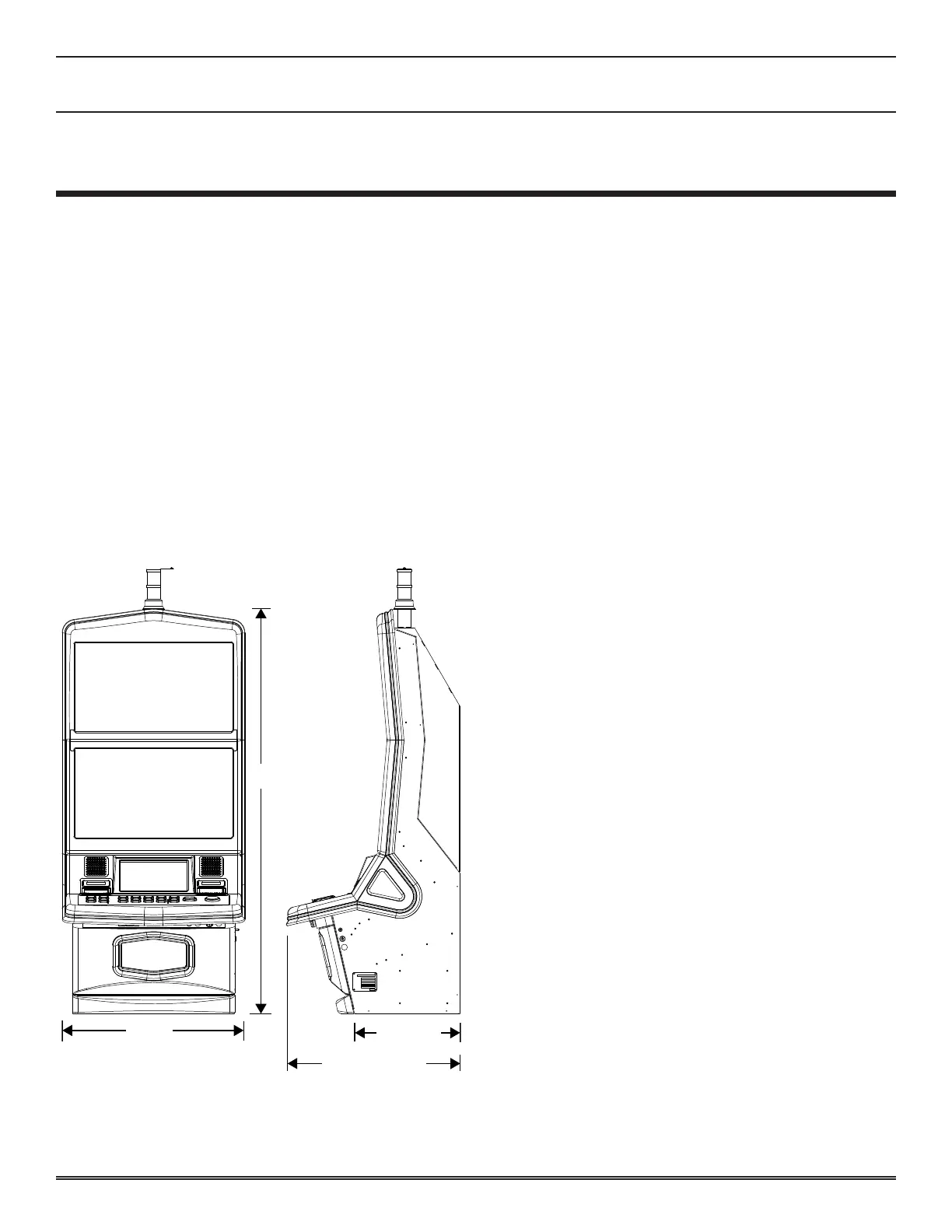
Height
Width
(Cabinet)
Depth
PHYSICAL SPECIFICATIONS
cabinet sPeciFications
• Height (±0.15") 59.84" 152.0cm
• Depth (at Door) (±0.15") 25.85" 65.7cm
• Depth (Cabinet) (±0.15") 15.60" 39.6cm
• Width (Cabinet) (±0.15") 27.00" 68.6cm
• Weight (±5 lb) 275.0 lbs 124.7kg
ENVIRONMENTAL SPECIFICATIONS
Line Voltage Input: 100–240 VAC, 50 or 60 Hz.
The following calculations are based on an input voltage of
120 VAC:
• Power supply input voltage 110 VAC: 108–120 VAC
(nominal 120 VAC) at 50/60 Hz.
• Power supply output voltage: +12 VDC, +24 VDC.
• Current draw at rest: 1.83 A (220 W).
• Current draw during game play: 1.9 A (228 W).
• Maximum operating ambient temperature: 104°F (40°C).
• Minimum operating ambient temperature: 32°F (0°C).
• Maximum surface ambient temperature: 105°F (41.5°C).
• Minimum surface ambient temperature: 32°F (0°C).
• Maximum relative humidity: 95% (non-condensing).
UNPACK AND INSPECT
Unpack and inspect the machine before power is turned on.
If the machine has been damaged during shipping, contact
your Konami Distributor, or Konami Customer Service
Representative, depending on warranty and sales contract
terms.
For Return Merchandise Authorization (RMA) information,
see Section 1 of this manual.
Carefully unpack and remove all loose parts and shipping
materials. Inspect components for damage. Verify the power
cord is properly routed out of the cabinet. Verify all wire
connectors are rmly seated. Check all display areas for signs
of broken glass or bulbs.


 To Next Page
 Loading...










