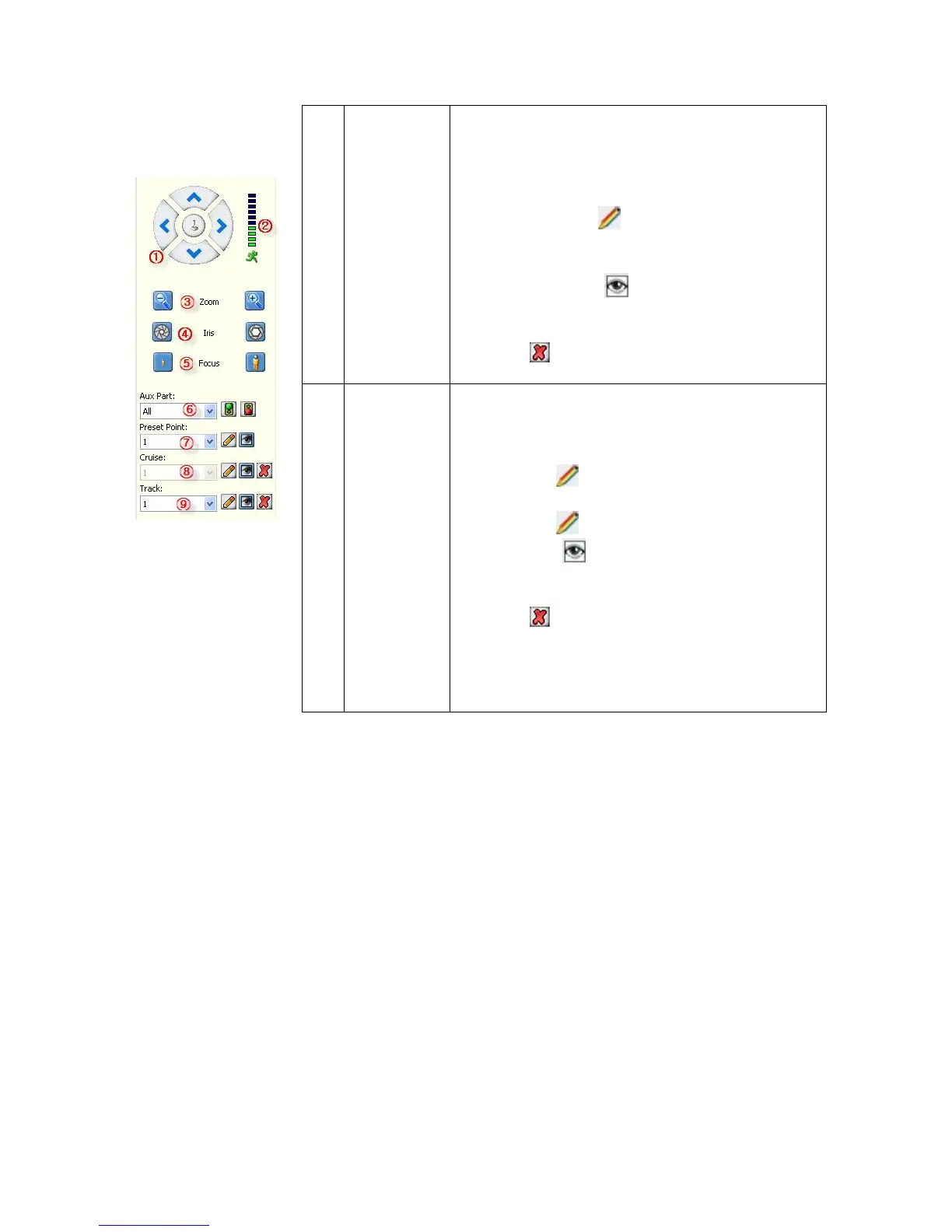
Cruise is a running route of camera that passes
through multiple presets.
Set sequence:
1. Select preset number.
2. Click Set button .
3. Repeat steps 1 and 2 to add other presets till all
desired presets are complete.
4. Click Run button .
Clear sequence:
Click the button to clear sequence.
9
Track
Track is a continuous running route of camera.
Setting track:
5. Click the button to start setting.
6. Move camera in the pattern you want it to run.
7. Click the button again to finish setup.
8. Click the button to run track and click
again to stop running.
Click the button to clear sequence.
NOTE: This feature depends on the type of your
PTZ camera.



 To Next Page