Performing with the Drum Track function Using the Drum Track function in Combination mode
99
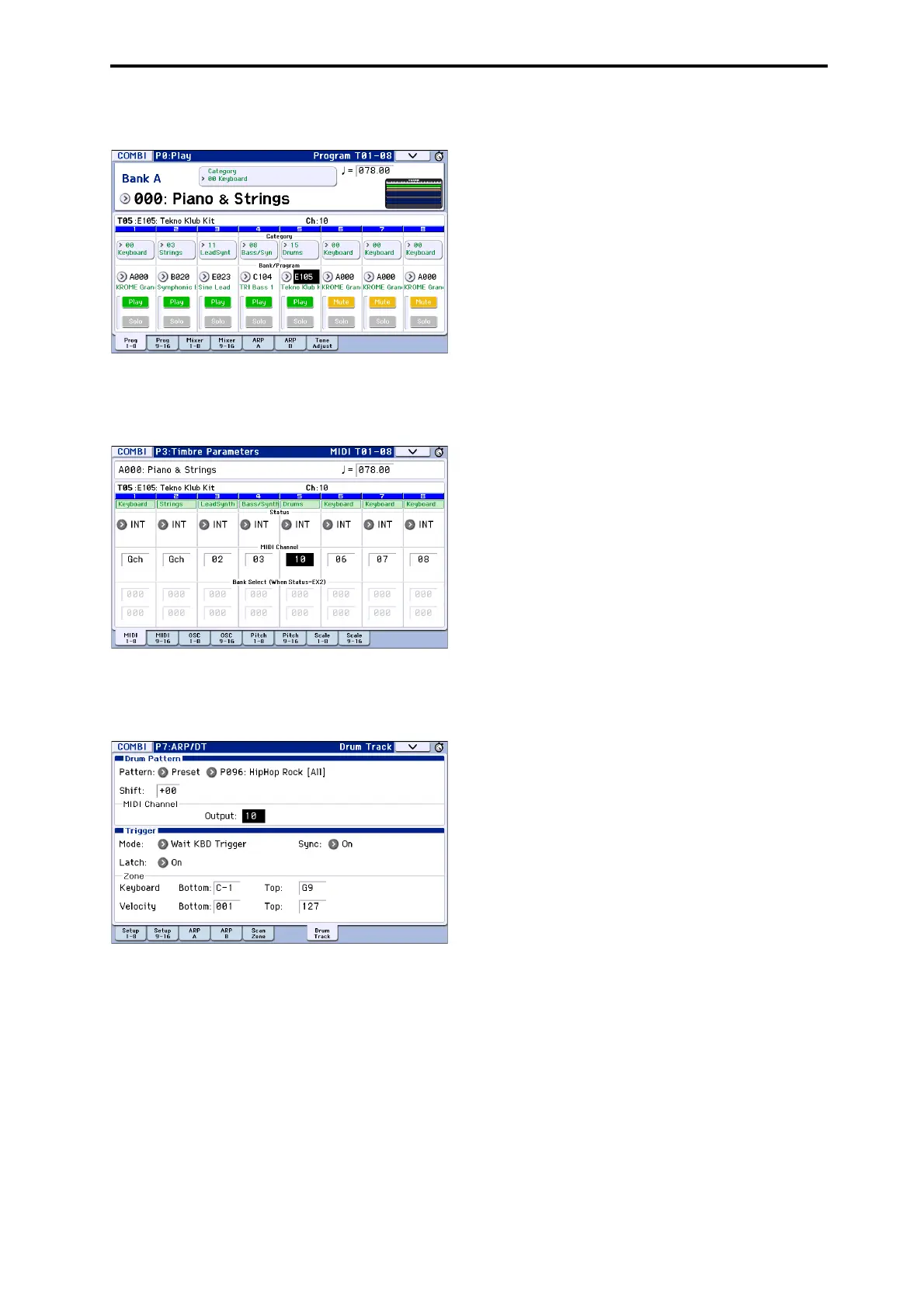
Inthefollowingillustration,we’veselectedtimbre5
forusebythedrumtrack.
2. SpecifytheMIDIchannelofthedrumtrack
timbre.
BeawarethatifanothertimbreusesthesameMIDI
channel,thattimbrewillalsobeplayed.
3. AccesstheCombiP7:ARP/DT–DrumTrackpage.
Specifythedrumtrack’sMIDIchannelOutput.Setthis
tomatchtheMIDIChannelofthetimbreyou
specifiedinstep2.
4. SelectaDrumTr
ackpattern.Use“Pattern(Pattern
Bank)”toselectthepresetoruserbank,anduse
“PatternNo.”toselectthepatternnumber.
Note: Ifyouselectanemptypattern,theDRUM
TRACKbutto
nwillnotfunction.
5. PresstheDRUMTRACKbuttontoverifythatthe
patternplayscorrectly.
Themethodoftriggeri
ngwilldependontheTrigger
settings.IftheTriggerModeparameterissettoStart
Immediately,theDrumTrackpatternwillstartwhen
youpresstheDRUMTRACKbutton.Fordetailsonthe
Triggersettings,pleasesee“7–4b:Trigger ”onpage 56
oftheParameterGuide.



 To Next Page