Song editing Track view edit
69
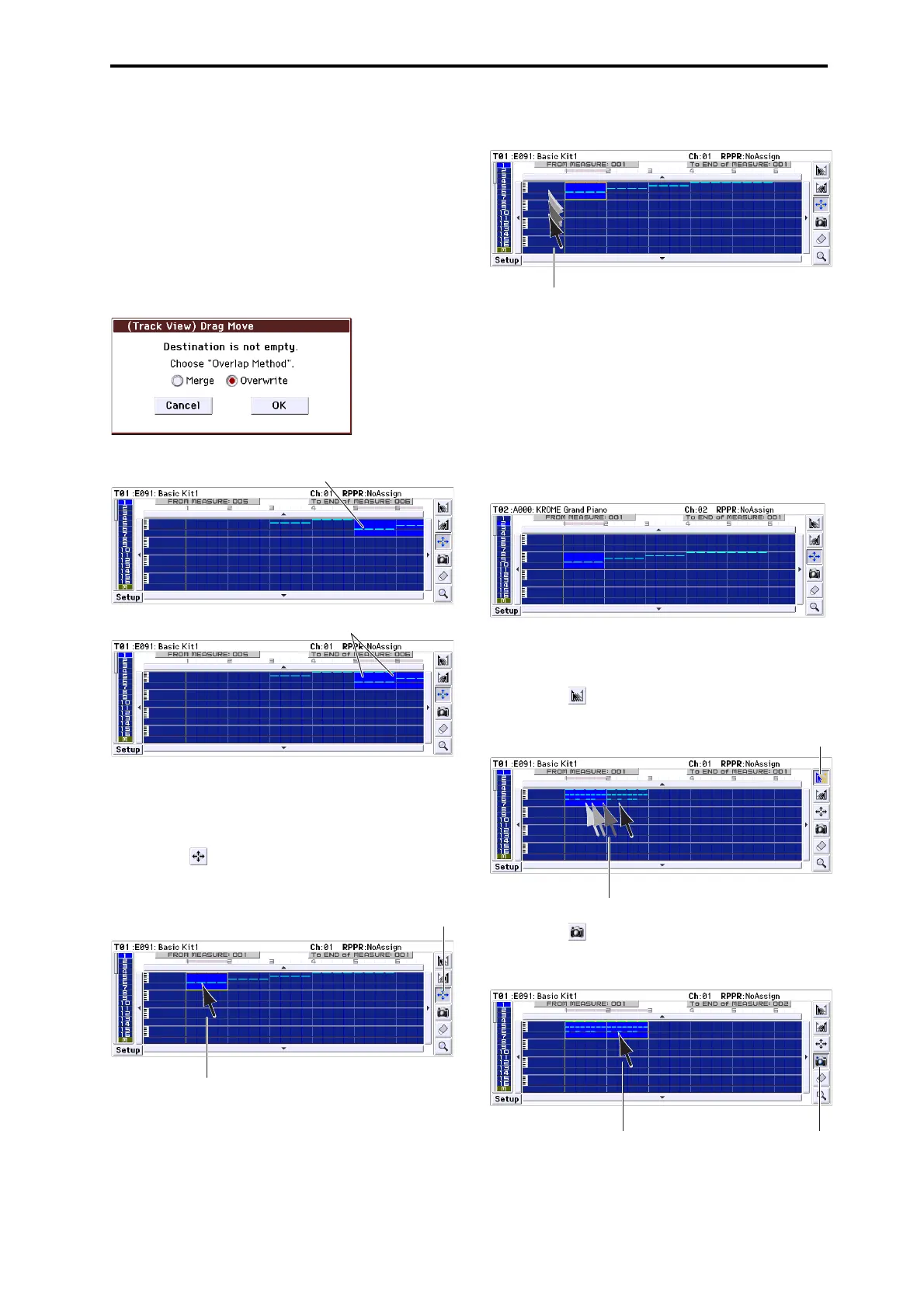
5. Inthisexample,aneventexistsinthemove‐
destinationmeasure,sotheDragMovedialogbox
willappear.
Overwritewilloverwritethesourcedataoverthe
destinationdata(replacingthedestin ationdatawith
thesourcedata).Mergewillcombinethesourceand
destinationdata.
PresstheOKbuttontoexecutethemove.
Iftherearenoeventsinthemove‐destination
measures,thisdialogboxwillnotappear;themove
willoccurimmediately.
Example)
Moving the data of an entire track
1. Returnthelocationtothebeginning.
2. Pressthetool.
3. Presstheleftsideofmeasure1inthetrackyou
wanttomove.
4. Whilecontinuingtopress,dragtothemove‐
destinationtrack,andrelease.
Ifthemove‐destinationmeasurescontainevents,the
DragMovedialogboxwillappear.
Overwritewilloverwritethesourcedataoverthe
destinationdata(replacingthedestinationdatawith
thesourcedata).Mergewillcombinethesourceand
destinationdata.PresstheOKbuttontoexecutethe
mov
e.
Iftherearenoeventsinthemove‐destination
measures,thisdialogboxwillnotappear;themove
willoccurimmedi
ately.
Example)
Copying the events of measures 1–2 to measures 3–4
1. Pressthetool.
2. Dragovermeasures1–2tospecifytheeditregion.
3. Pressthetool.
4. Pressmeasure3(thecopy‐destinationmeasure).
Alternatively,dragtheeditregiontomeasure3.
The destination is overwritten
by the source data
If you choose Overwrite
The two sets of data are combinedIf you choose Merge
34



 To Next Page