Step 2: Disconnect and remove the Series 4000 device
105
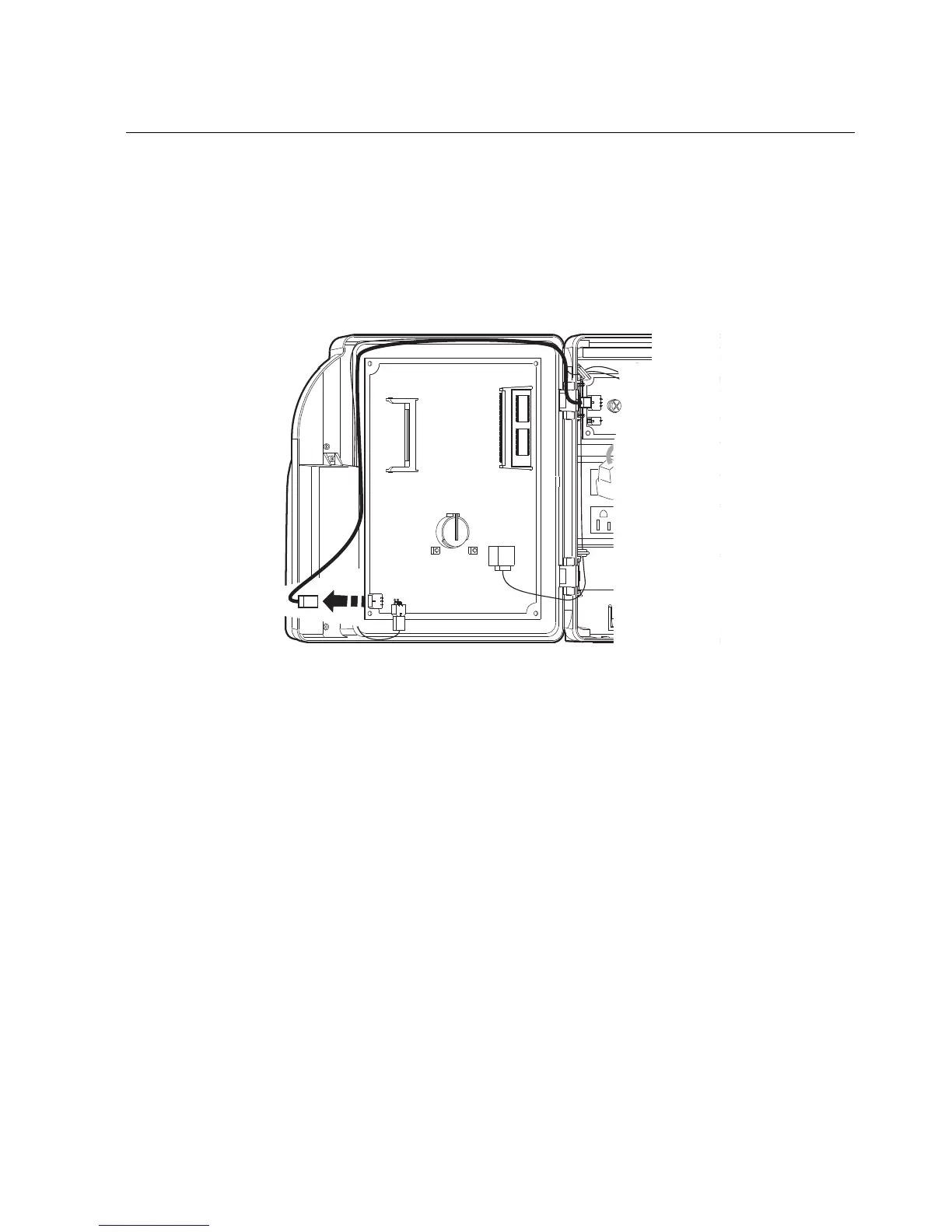
If the part number of the device is 8602000-xxx, use the following
illustration to locate the connection. Then, disconnect the battery charger
board from the mainboard of the device. To do this, press the clip on the
connector at the end of the cable and pull it to the left while moving the
connector from side to side
6. Remove the transformer:
a. Disconnect the transformer cable (1) from its connection on the main
board (3). To do this, press the clip on the connector at the end of the
cable and pull out while moving the connector from side to side.
b. Trace the wire back to the transformer, freeing it from one or more hooks
(2) molded into the base of the device.



 To Next Page