EasyManua.ls Logo

Kurzweil PC2 Series - User Manual

Kurzweil PC2 Series
126 pages
Print Icon
To Next Page IconTo Next Page
Loading...
PC2 Series
Service Manual
©2004 All rights reserved. Kurzweil is a product line of Young Chang Co.; Kurzweil is a
trademark of Young Chang Co. All other products and brand names are trademarks or
registered trademarks of their respective companies. Product features and specications
are subject to change without notice.
Part Number: 910395 Rev. A

Table of Contents

Questions and Answers

  • D
    Daniel FloydAug 13, 2025
    What to do if there is no audio from my Kurzweil PC2?
    • B
      Brandy SnyderAug 13, 2025
      If the Kurzweil Synthesizer PC2 shows no audio, you can run the Scanner Diagnostics to check the volume slider operation. Additionally, inspect the flat ribbon cable from J412 on the Engine Board to J302 on the Connector Board.
  • Y
    yatestaraAug 17, 2025
    How to perform a hard reset on Kurzweil Synthesizer?
    • B
      blake10Aug 17, 2025
      To perform a Hard Reset on the Kurzweil Synthesizer PC2, press the Global button, then use the Right cursor button to navigate through the Global parameters to 'Reset PC2?' and press the Enter/Yes button. Alternatively, enter the Boot Loader and press either the Left or Right cursor button to scroll through the menu. Press Enter to select 'Hard Reset'.
  • J
    Jeff FloresAug 20, 2025
    Why is the LCD screen not lit on my Kurzweil PC2 Synthesizer?
    • L
      Laurie JacksonAug 21, 2025
      If the LCD screen on your Kurzweil Synthesizer is not lit, check the LCD contrast potentiometer and turn the pot to see if there is any change. Also, check the flat ribbon cable from the LCD Board to J406 on the Engine Board; try disconnecting and reseating the cable.
  • C
    christinamosleyAug 25, 2025
    What to do if my Kurzweil PC2 keyboard is dead?
    • B
      bjamesAug 25, 2025
      If your Kurzweil Synthesizer keyboard is dead, check the flat ribbon cables connecting the keyboard Bass and Treble Contact Boards to the Connector Board, at locations J306 and J307. If the problem persists, find and replace any faulty components or consider ordering a board replacement.
  • S
    Shawn MilesAug 28, 2025
    What to do if buttons, sliders, or controllers are not working on my Kurzweil PC2?
    • T
      Tammy HuntAug 28, 2025
      If buttons, sliders, or controllers are not working on your Kurzweil Synthesizer, try running the Scanner Tests. Also, disconnect and reseat the cables.
  • C
    Cindy DavisAug 31, 2025
    How to troubleshoot power problems on my Kurzweil PC2?
    • K
      kcortezSep 1, 2025
      To address power issues with your Kurzweil Synthesizer, verify that the AC outlet is supplying power. Check the power switch, power jack, and AC adapter.
  • R
    rmcmahonSep 5, 2025
    What to do if some notes are dead on my Kurzweil PC2 Synthesizer?
    • M
      marktravisSep 5, 2025
      If some notes are not sounding on your Kurzweil Synthesizer, check the contact strip for dirt, damage, or wear. Clean dirty contacts with denatured alcohol. If the section is still dead, remove the strip and check the contact board for shorts or cold solder joints.
  • J
    Julia CallahanSep 8, 2025
    How to resolve a boot block issue on Kurzweil PC2 Synthesizer?
    • M
      Michelle CarterSep 8, 2025
      To resolve a Boot Block issue on your Kurzweil Synthesizer PC2, use the PC2’s Boot Loader to enter Diagnostics or perform a Hard Reset to the unit.

Summary

Chapter 1 Introduction

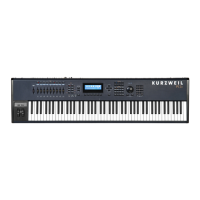
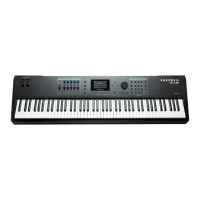
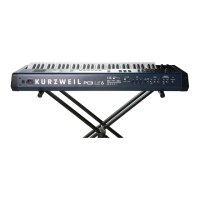
PC2;PC2 X Rear Panel Features

Details the connectors and features on the rear panel of the PC2/PC2X.

PC2;PC2 X Front Panel Features

Describes the layout and features of the front panel for PC2 and PC2X models.

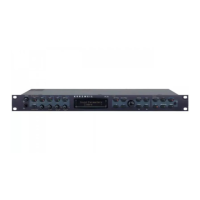
PC2 R Rear Panel Features

Details the connectors and features on the rear panel of the PC2R rack-mount unit.

PC2 R Front Panel Features

Describes the layout and features of the front panel for the PC2R rack-mount unit.

Chapter 2 Diagnostics

Entering and Running Diagnostics

Step-by-step guide on how to access and initiate diagnostic tests.

Description of Diagnostic Tests

Explains the purpose and potential failure points of each diagnostic test.

Chapter 3 PC2 R Disassembly;Assembly

Chapter 4 PC2;PC2 X Disassembly;Assembly

Chapter 5 Troubleshooting

Boot Block Operations and Resets

Covers entering the Boot Block, performing Hard/Soft resets, and software updates.

Common Problem Diagnosis

Troubleshooting steps for Power, Audio, and Front Panel issues.

Keyboard and Mechanical Troubleshooting

Diagnosing dead keyboards, dead notes, and mechanical noise.

Kurzweil PC2 Series Specifications

General IconGeneral
Polyphony64 voices
Sound EngineVAST (Variable Architecture Synthesis Technology)
MIDIIn, Out, Thru
Multitimbral16 parts
Velocity SensitivityYes
AftertouchYes
Year Released1999
DisplayLCD
ControllersPitch wheel, modulation wheel
InputsSustain pedal, expression pedal
Memory128 setups
Keyboard76-note, semi-weighted
OutputsStereo outputs, headphone output

Related product manuals