Installation Flowmaster User’s and Service Manual | LBL-000990 [B] 17
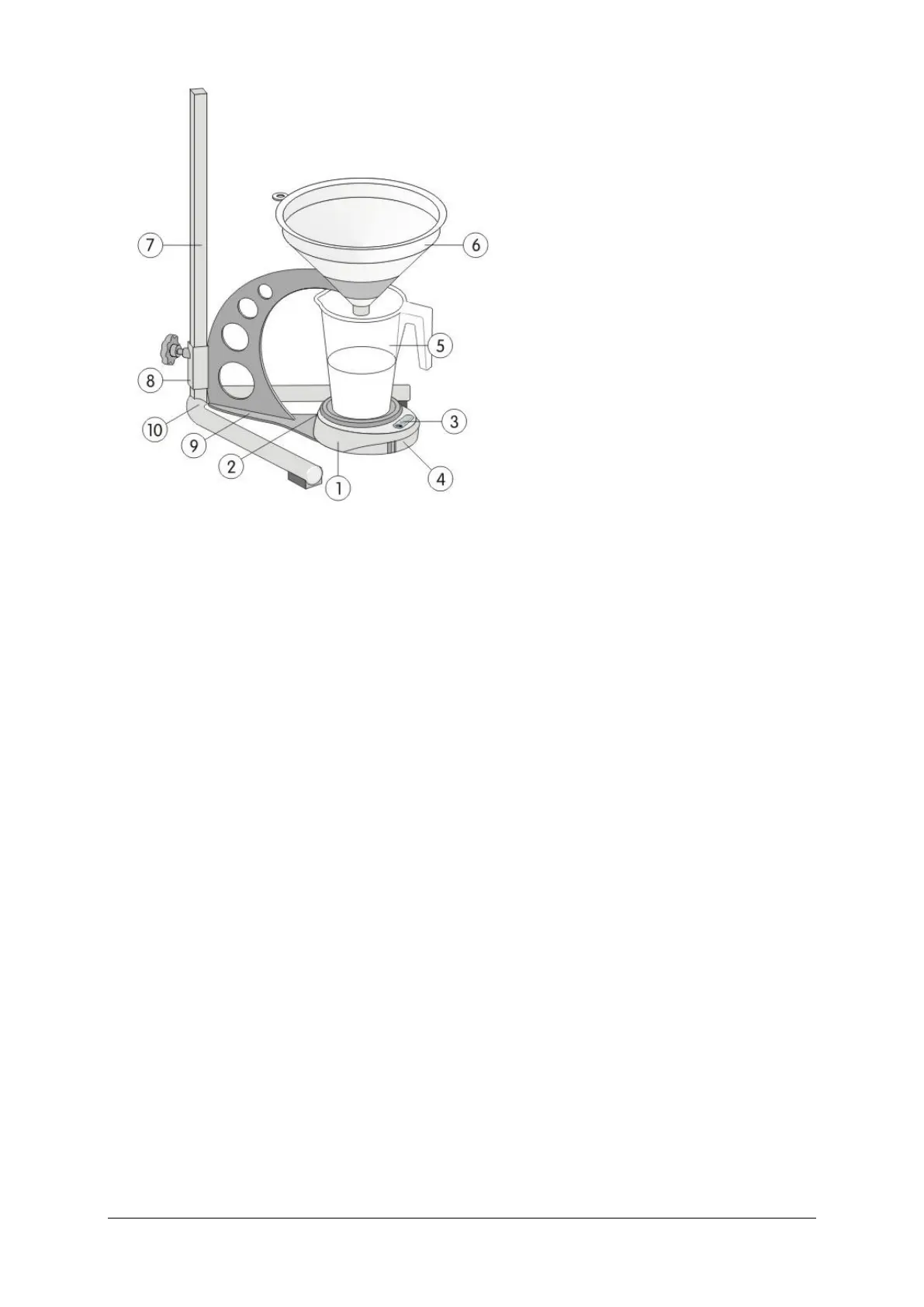
Figure 2.1 Bluetooth flowmeter
1 Flowsensor 6 Funnel
2 Connector for AC power supply 7 Flow stand pole
(optional) 8 Vertical position lock-knob
3 Flowsensor status LED 9 Flow stand holder
4 Battery compartment 10 Flow stand foot
5 Urine container
The flowsensor contains Bluetooth functionality for transferring data from
sensor to computer without using a cable. For that the flowsensor needs four
batteries (type AA alkaline or NiMH) in the battery compartment. Optionally,
the Bluetooth flowsensor can be powered by an AC power supply.
Install the flowmeter as follows:
▪ Fasten the flow stand pole [7] on the flow stand foot [10] with the plastic
protection and the M6 x 65 mm screw.
▪ Slide the flow stand holder [9] over the flow stand pole [7].
▪ Fasten the flow stand holder [9] at the desired height with the vertical
position lock-knob [8]. Note: lift the flow stand holder [9] a little when you
want to change the height of the flow stand holder.
▪ Place the flowsensor [1] on the flow stand holder [9] while the connector is
positioned at the rear (see drawing). The flowsensor can be fixed on the
flow stand holder with a M4 x 16 mm screw.
▪ Place the urine container [5] onto the flowsensor [1].



 To Next Page