Flowmaster User’s and Service Manual | LBL-000990 [B] 35
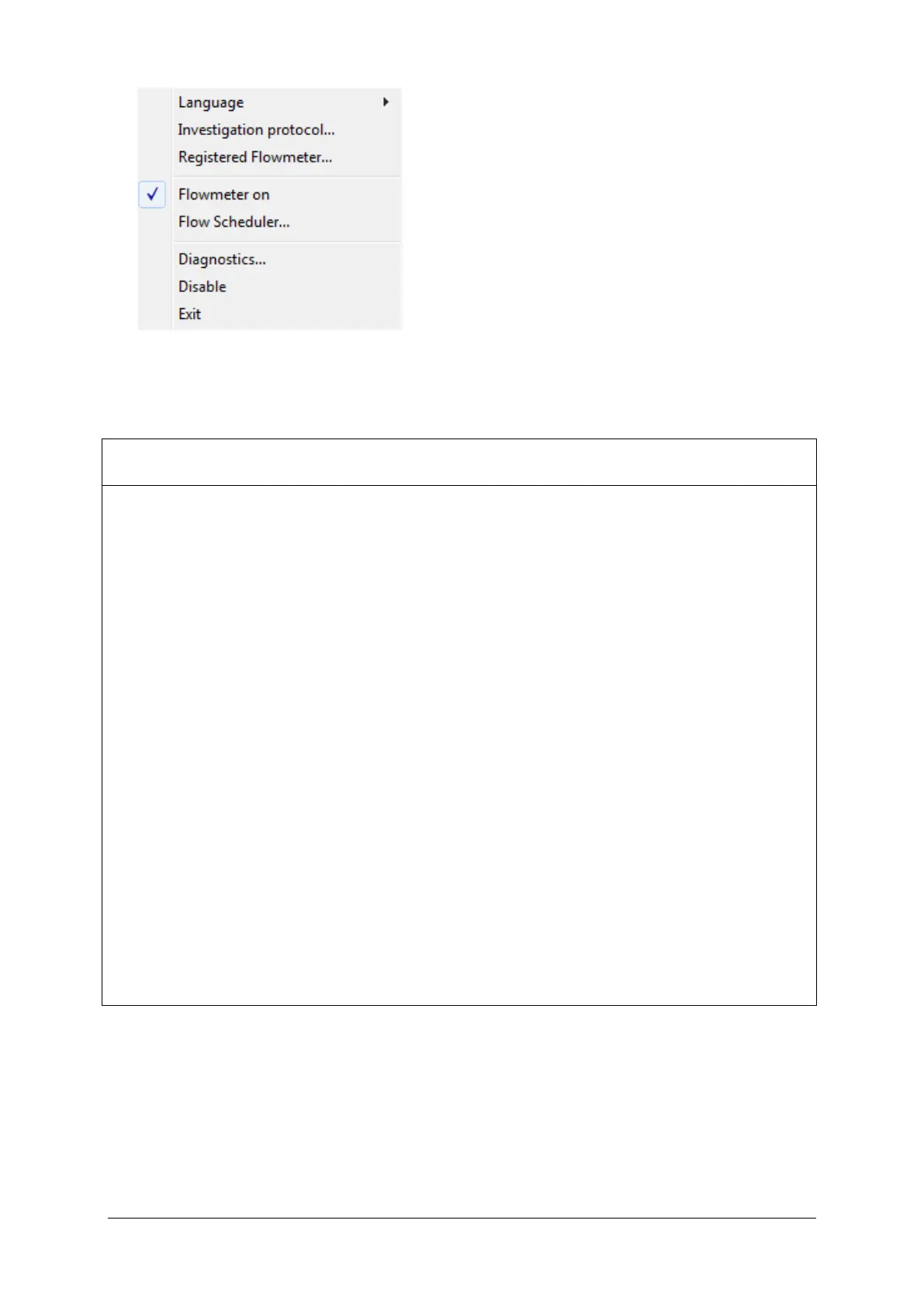
Figure 5.2 Flow program menu
In the table below you will find a description of all menu-items.
Language Select the language to be used.
Investigation protocol Define the settings which are specific for the uroflow
investigations (see § 5.2.3).
Registered flowmeter Register the flowmeter during installation to make
Bluetooth communication function (see § 2.6).
HIS interface Configure HIS interface settings (only available with
the HIS software option, see chapter 10).
Flowmeter on Switch the flowmeter on or off.
Flow scheduler Schedule the days and times of the week that the
flowmeter must be on (see § 5.2.4).
Diagnostics Display flow/weight values; check communication
between flowmeter and computer (see § 5.2.5).
Disable Disable (the program does not work and does not
display any messages) or enable the flow program.
Exit Stop the flow program.
5.2.3 Investigation Protocol
Select Investigation protocol in the flow program to edit the investigation
protocol settings.



 To Next Page