36 Laborie Flowmaster User’s and Service Manual | LBL-000990 [B] Chapter 5
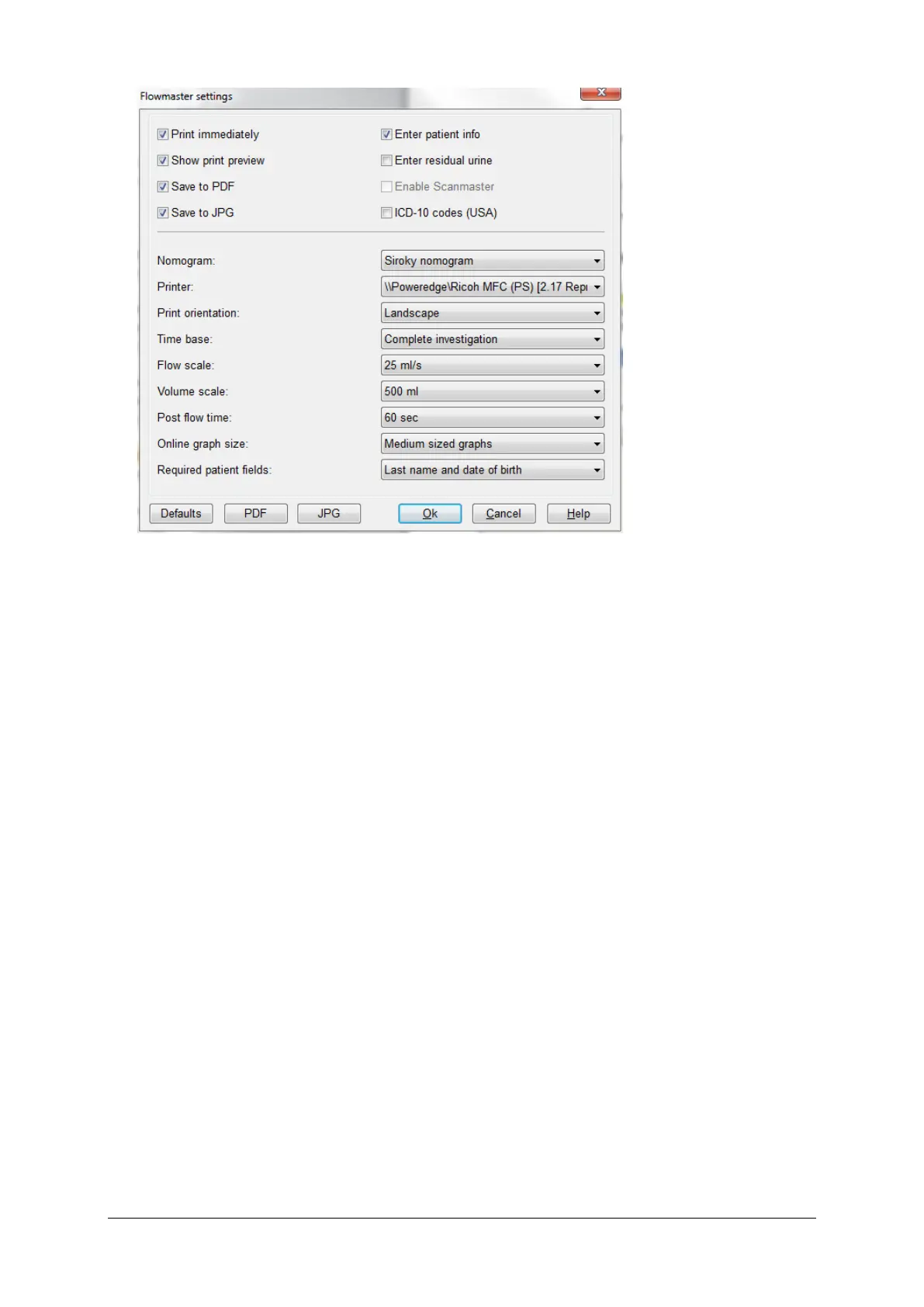
Figure 5.3 Investigation protocol
In the investigation protocol, you can define the settings which are specific for
the uroflow investigations. You can set the entry of patient data, the print
procedure, the layout of the online graphs and the printed uroflow report. All
protocol settings are described below. These settings do not influence the
uroflow reports which are already stored in the database program (see § 4.1).
Print immediately
Check this box to print the uroflow report automatically when the investigation
is finished. It is always possible to print the uroflow report afterwards via the
database program.
Show print preview
Check this box to show the ‘Print preview’ window when the investigation is
finished.
Save to PDF and/or JPG
Check this box to save the uroflow reports as PDF and/or JPG documents
automatically. Click on the PDF or JPG button to define the format of the
document name and the directory to store the PDF or JPG documents (default
c:\mmsFlowmaster\PDF or c:\mmsFlowmaster\JPG). If you disable this
function, you can always save reports as PDF documents in the ‘Print preview’
window.



 To Next Page