Flowmaster User’s and Service Manual | LBL-000990 [B] 34
5. Flowmaster Software
5.1 Introduction
The Flowmaster software consists out of two programs: (1) the flow program
and (2) the database program. The flow program switches the flowmeter on
and must be active to record uroflow investigations. The database program
allows you to select the patient first and to start the uroflow investigation. See
the information in chapter 3 and determine the best uroflow procedure for your
situation.
5.2 Flow Program
5.2.1 Start the Flow Program
The flow program is started automatically when the computer is switched on.
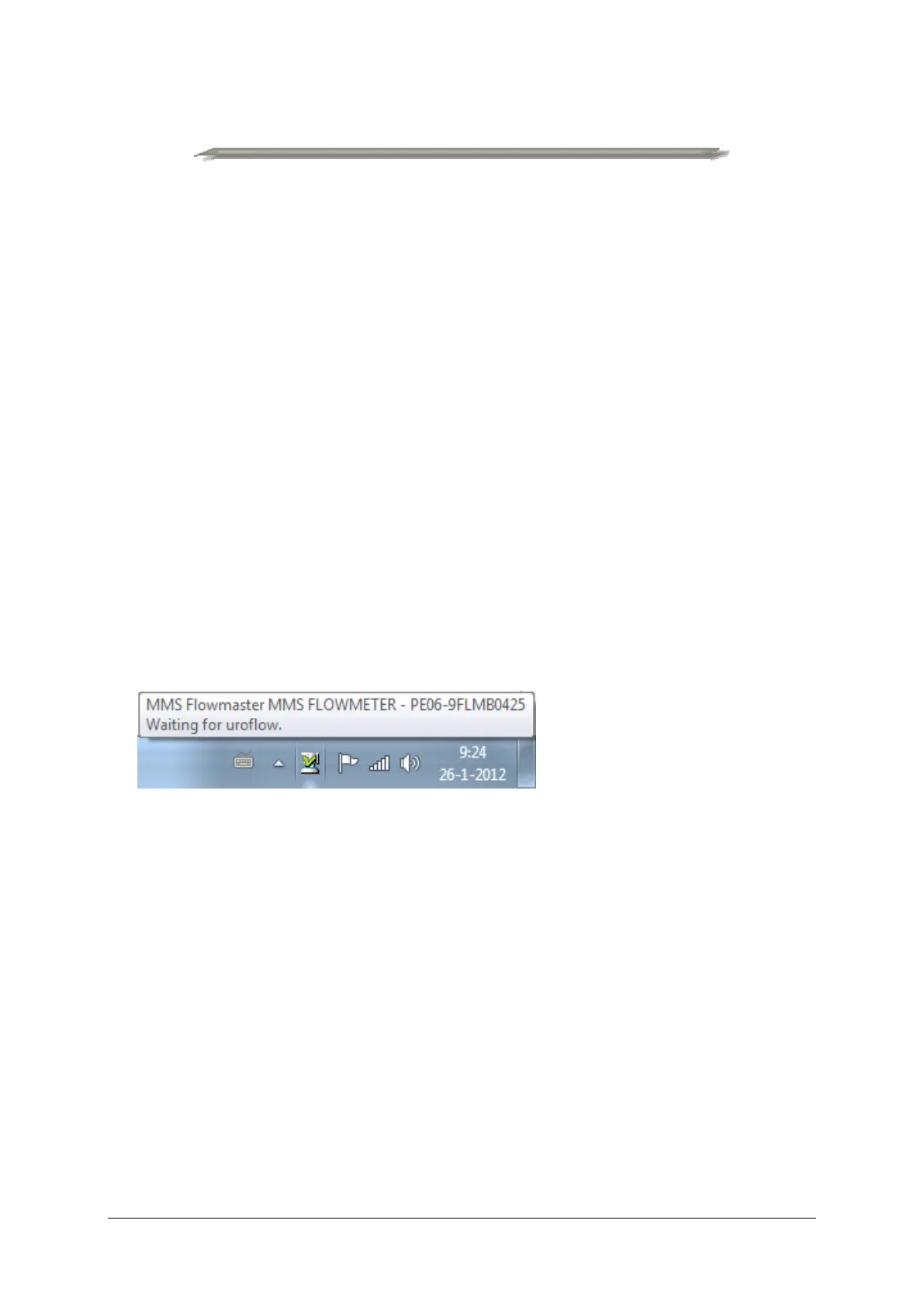
In the task bar at the bottom of the screen the flowmeter button will tell you if
the flow program is active and if there is a Bluetooth connection with the
flowmeter.
Figure 5.1 Flowmeter on
When the flowmeter button is not displayed, you must start the database
program. The flowmeter button will be visible in a few seconds and the
Bluetooth connection will be established. When there is no flowmeter
communication (message “flowmeter shut off”) you must switch on the
flowmeter via the flow program menu.
5.2.2 Flow Program Menu
Click with the mouse on the Flow program button to select the menu.



 To Next Page