Flowmaster User’s and Service Manual | LBL-000990 [B] 61
10. HIS Import
10.1 Introduction
In this chapter the HIS import is described (HIS 636). For more information, for
example about HIS export (HIS 638), see the HIS EMR User’s & Installation
manual (Document Code: LBL-02559).
In a standard environment, the Flowmaster system will use the local harddisk
of a computer to store patient data. The Flowmaster database contains a table
where patient information is stored. Patient information should be entered
before or after an investigation is performed.
When your hospital has a Hospital Information System (HIS), the patient data
normally should be entered twice, both in the Hospital Information System and
in the Flowmaster database. With the Laborie HIS interface program, it is
possible to import the patient data (patient demographics) from the HIS in the
Flowmaster database. Patient information which is already available on the
hospital server will be copied into the Flowmaster database. This can be done
in two ways: with HL7 or GDT. Which method is used depends on the software
support on the hospital server.
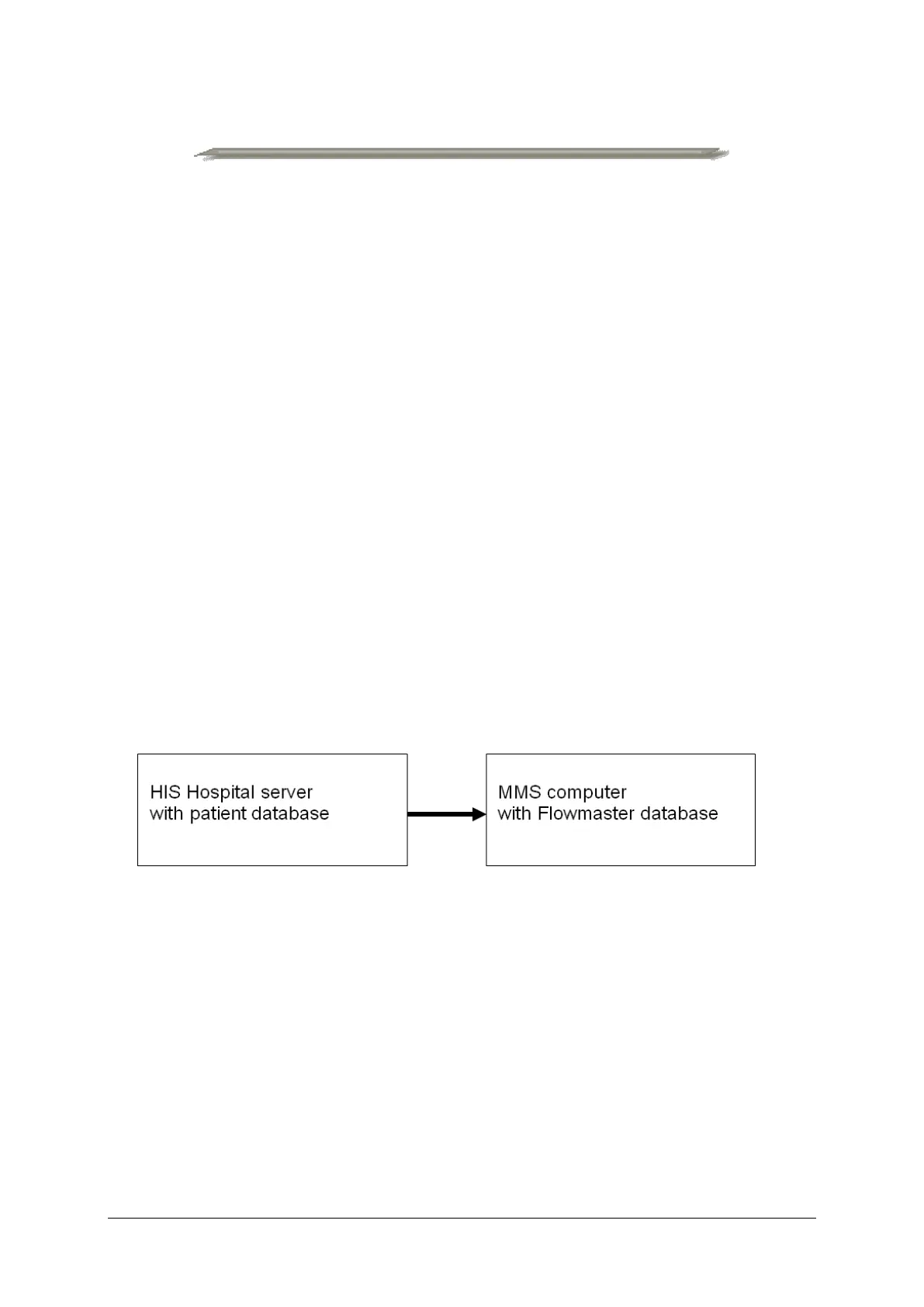
Figure 10.1 HIS import
Laborie has a special HIS interface module which will talk the HL7 or GDT
language. This module will convert the hospital patient information into the
Flowmaster database.
10.2 Install Flowmaster Software with HIS Interface
To install the Flowmaster software with HIS interface, you will need the
following:
• Flowmaster software USB or CD-ROM including the Laborie HIS import
option.



 To Next Page