HIS Import Flowmaster User’s and Service Manual | LBL-000990 [B] 65
10.3.4 HIS Interface HL7 Settings
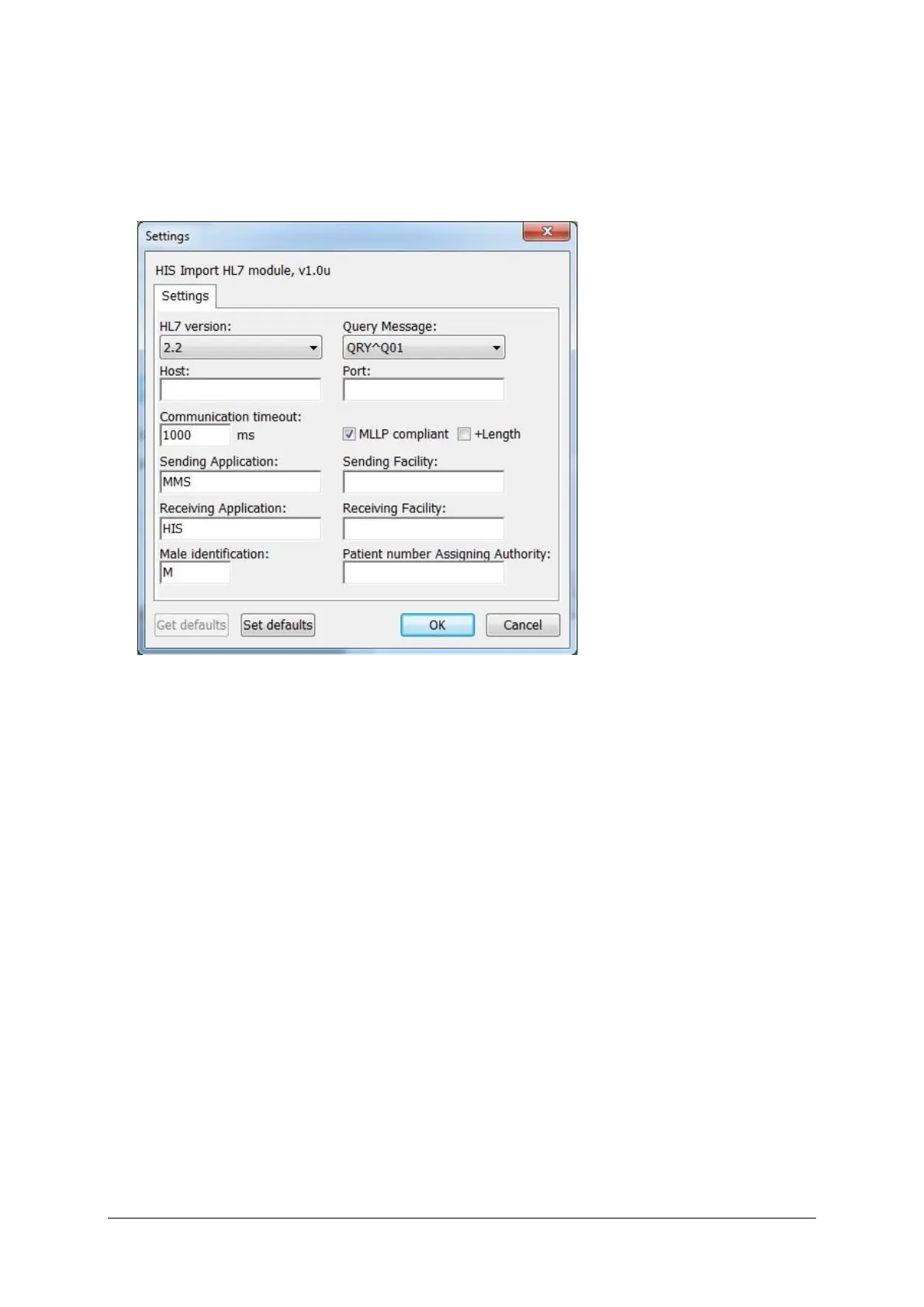
When the HIS interface HL7 is selected and the Settings button is clicked, the
following window will be displayed. Different settings can be made.
Figure 10.7 HL7 settings
Host
IP-number of the HL7 server, supplied by the IT-department of the hospital.
Port
The port number of the HL7 server, supplied by the IT-department of the
hospital.
Communication timeout
Timeout for communicating with HL7 server. Increase this value if you
encounter a lot of timeouts.
Sending/Receiving Application/Facility
This information will be put in the MSH of the HL7 message.
These settings should be supplied by the IT-department of the hospital and are
known HL7 terms.
Male identification



 To Next Page