Patient Data on the NetworkFlowmaster User’s and Service Manual | LBL-000990 [B] 53
non-network version of the Flowmaster software installed on this computer,
you can select this directory. The existing patient investigation data will be
stored on the network automatically, the first time you start the database
program.
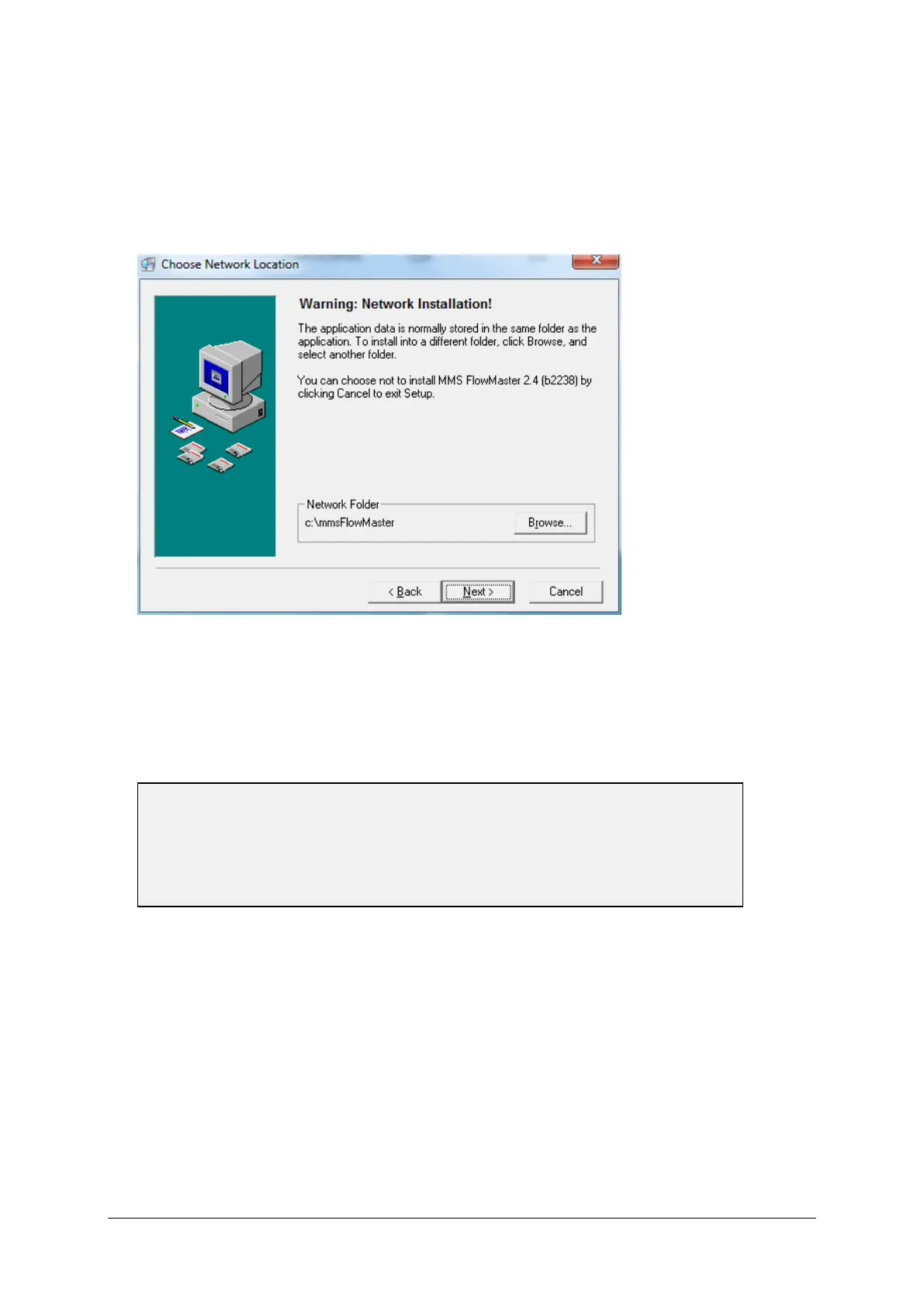
▪ Click on the Next button to display the window ‘Choose Network Location’.
Figure 8.2 Choose network directory
▪ Click on the Browse button to display the window ‘Select Network
Directory’. Choose the network directory to store the investigation data
(default name of the directory is mmsFlowMaster).
▪ Click on the OK button to return to ‘Choose Network Location’.
▪ Click on the Next button to display the window ‘Start Installation’.
▪ Click on the Next button. During the installation, the window ‘Installing’ is
displayed. When the procedure is finished, you will see the window
‘Installation Complete’.
▪ Click on the Finish button to exit the installation procedure of the
Flowmaster software.



 To Next Page