EN
Video Mode
143
START/EXIT VIDEO MODE
The camera will always be in Picture mode after an initial activation
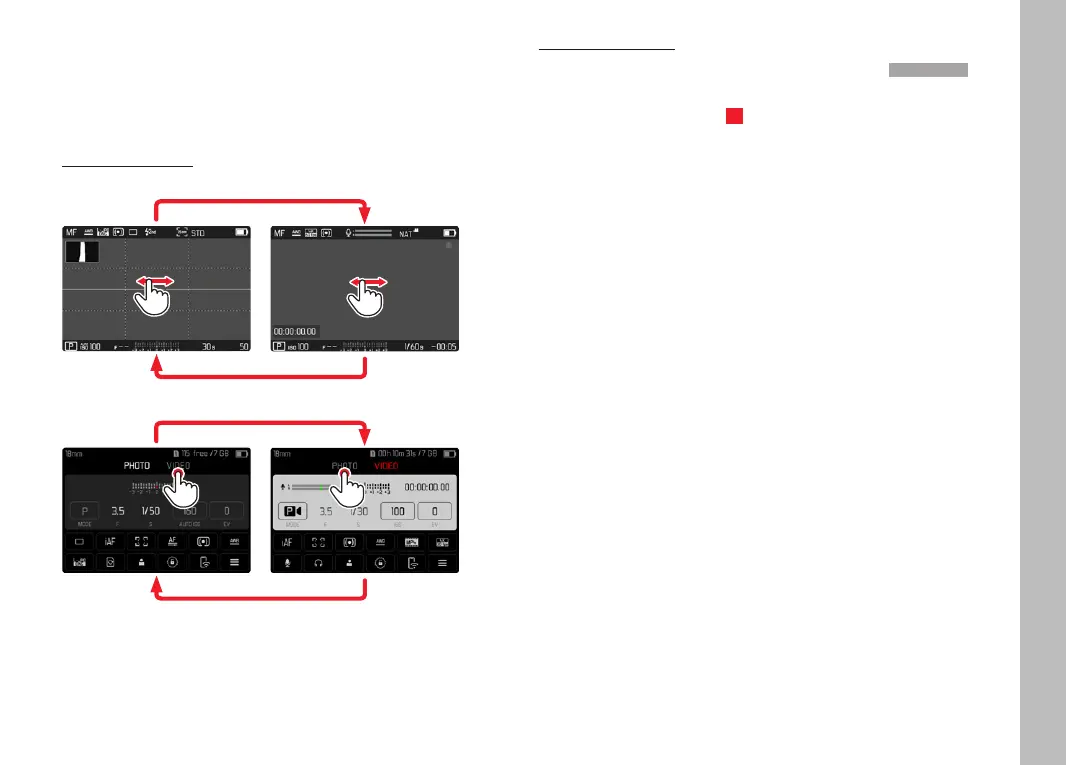
or a reset to factory settings. There are two methods for toggling
between Picture and Video mode:
Using touch control
Variant 1
VideoPhoto
Variant 2
VideoPhoto
• The color of the status screen changes accordingly.
Using button control
▸ Press the FN button with the function assignment Photo - VideoPhoto - Video
• In factory settings, that will be the FN button at the back left,
next to the LCD panel (25).
Note
• The camera switches to the most recently set photo or video
mode.



 To Next Page