Video Mode
EN
144
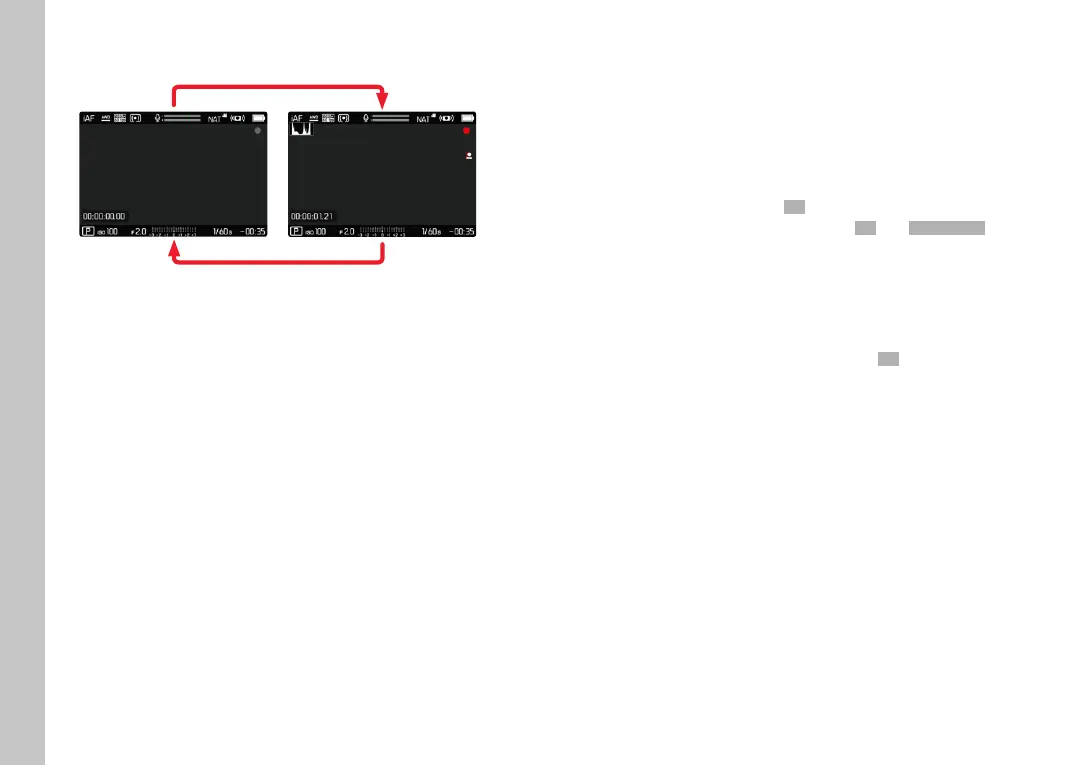
START/END VIDEO RECORDING
▸ Press the shutter button
• Video recording begins.
• The dot fl ashes red.
• Recording time is running.
▸ Press the shutter button again
• Video recording ends.
• The dot lights in gray.
Notes
• The current recording is shown in the top display with a dot
below the mode.
• Basic recording settings (see p. 94) must be confi gured
before recording.
• No direct access to menu functions is possible during video
recording.
FOCUSING
Your Leica SL2 allows automatic as well as manual focusing. There
are 3 operating modes and 4 metering methods available for
automatic focusing. Only manual setting options are available for
MF lenses.
TAKING VIDEOS WITH AF
Focusing is done as needed when AFsAFs is in use. The area in the AF
metering fi eld will be focused continuously if
AFcAFc and Intelligent AFIntelligent AF
are in use. Continuous focusing can be suppressed by using a
metering memory lock.
TAKING VIDEOS WITH MF
Focusing is done manually via the focus setting ring. The joystick
can be used as needed to do an AF metering (in
AFsAFs mode).
Note
• Autofocus can be overridden manually at any time by turning the
focus setting ring, while pressing and holding the shutter button
at the fi rst pressure point. The set focus will remain unchanged
until the shutter button is released.



 To Next Page