Playback/Review mode
EN
168
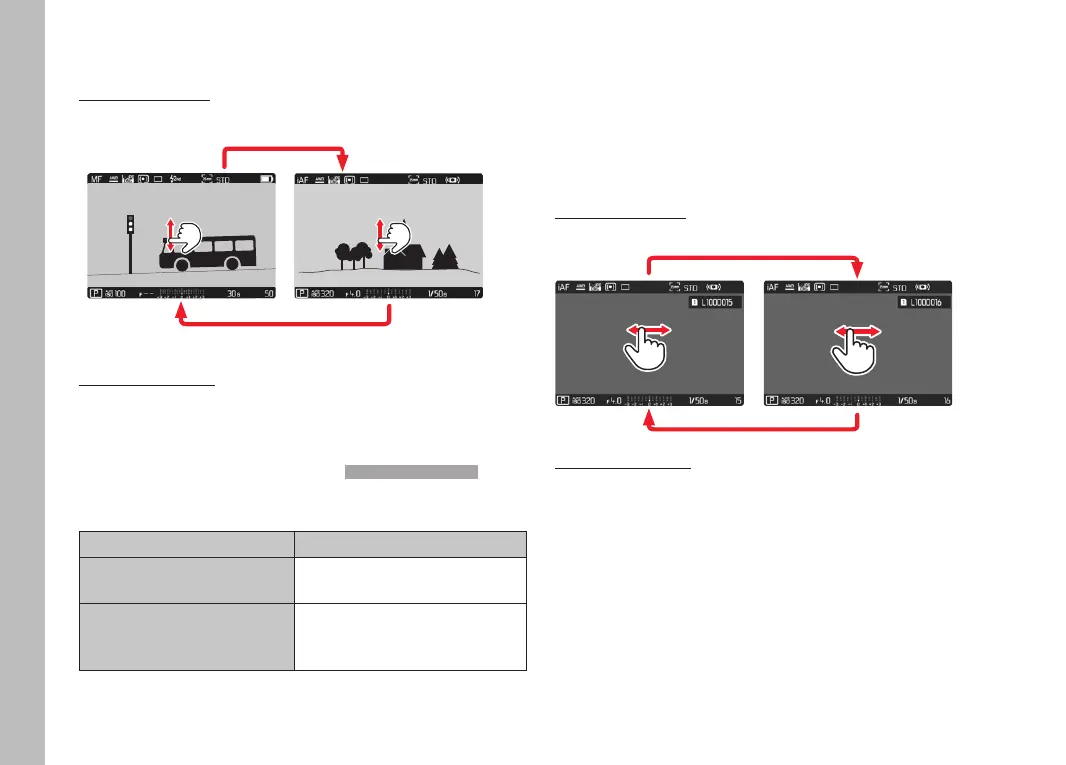
INITIATE/EXIT PLAYBACK/REVIEW MODE
Using touch control
▸ Swipe up or down
Playback/ReviewRecording
INFO
1/80002.8F 12500ISO EV
A
-3 2 1 0 21 3+
823412MP
Using button control
▸ Press the PLAY button
• The last picture taken appears on the screen.
• The following message appears if the inserted memory card
does not contain any picture data: No valid picture to playNo valid picture to play.
• The PLAY button function differs, depending on the current
camera setting:
Initial situation
After pressing the PLAY button
Full screen display of a
recording
Recording mode
Display of an enlarged
cropped section/or several
thumbnails
Full screen display of the
recording
SELECTING/SCROLLING THROUGH RECORDINGS
The recordings are visually arranged in a horizontal reel. When the
end of an image series is reached, the display automatically jumps
back to the first image in the series. All recordings can therefore
be reached by scrolling either right or left.
SINGLE
Using touch control
▸ Swipe to the left or right
Using button control
▸ Press the joystick left/right
or
▸ Turn the thumbwheel



 To Next Page