EN
Playback/Review mode
181
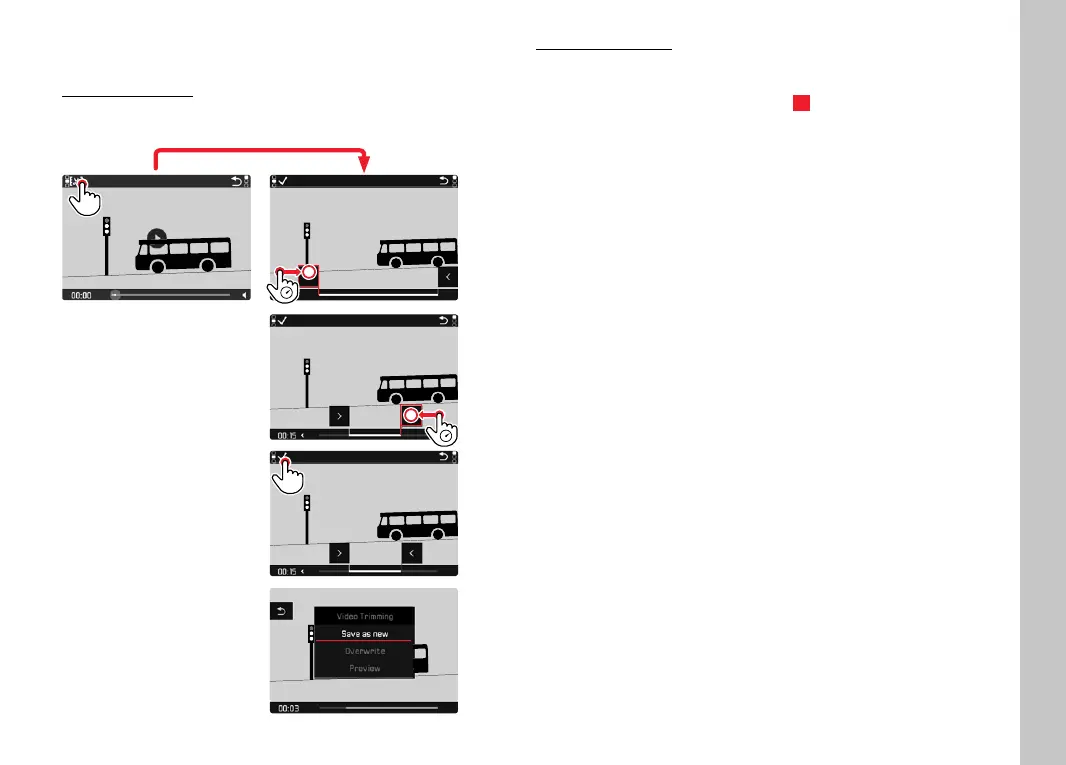
VIDEO EDITING
Using touch control
While control elements are visible:
Using button control
ACCESSING THE VIDEO EDITING FUNCTION
▸ Press the FN button at the rear left (25)
• The video editing screen appears, the left cutting mark is
highlighted in red (= active).
CHANGING THE CURRENT CUTTING POINT
▸ Press the joystick left/right
• The selected cutting point is highlighted in red (= active).
MOVING THE ACTIVE CUTTING POINT
▸ Turn the thumbwheel
• The currently selected time of the relevant cutting point is
displayed at the bottom left of the footer line. A still of the
video sequence at that point is displayed in the background.



 To Next Page