EN
Preparation
31
CHARGING THE BATTERY
The camera is powered by a lithium-ion battery.
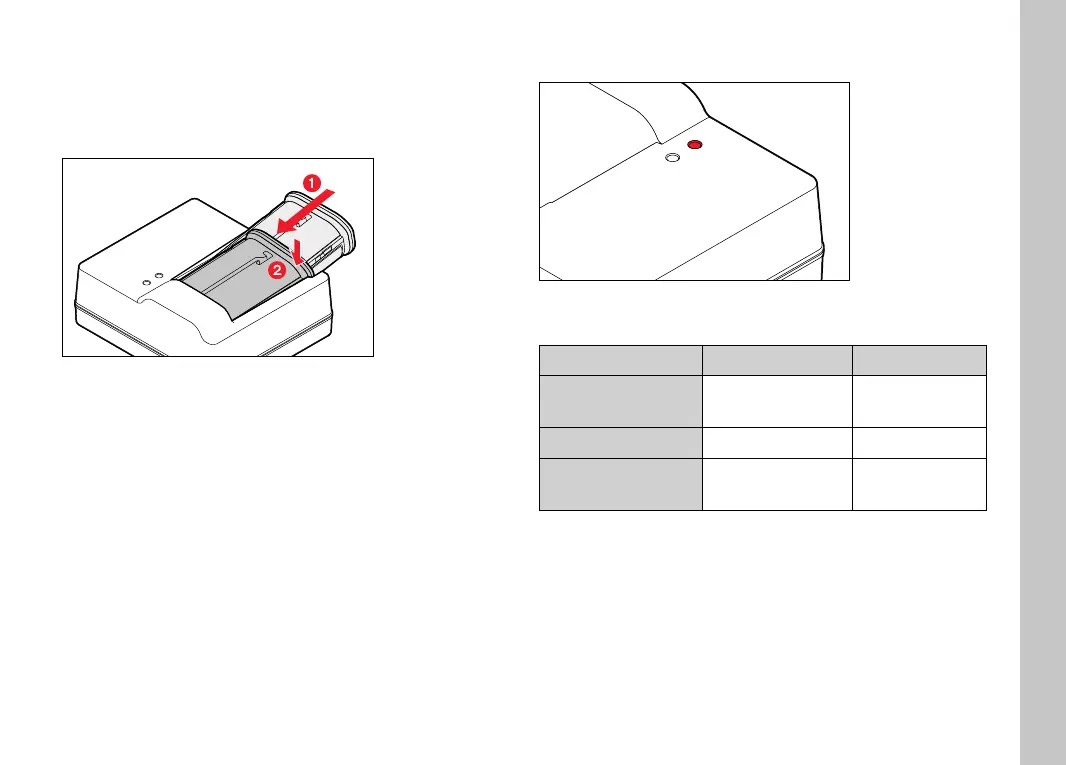
INSERTING THE BATTERY IN THE CHARGER
▸ Slide the battery into the charger with the groove facing up until
the contacts meet
▸ Press down on the battery until you can hear and feel it clicking
into place
▸ Ensure that the battery is fully inserted into the charger
REMOVING THE BATTERY FROM THE CHARGER
▸ Tilt the battery up and lift it out at an angle
CHARGE STATUS INDICATORS ON THE CHARGER
CHARGE
80%
The status LED indicates a correct charging process.
Display Charge status Charge time*
CHARGE fl ashes
green
battery is charging
80% lights up orange
80% approx. 2hours
CHARGE continuous
green light
100% approx. 3½ h
Disconnect the charger from mains electricity when the charging
process is complete. There is no risk of overcharging.
* for a completely discharged battery



 To Next Page