EN
Camera basic settings
73
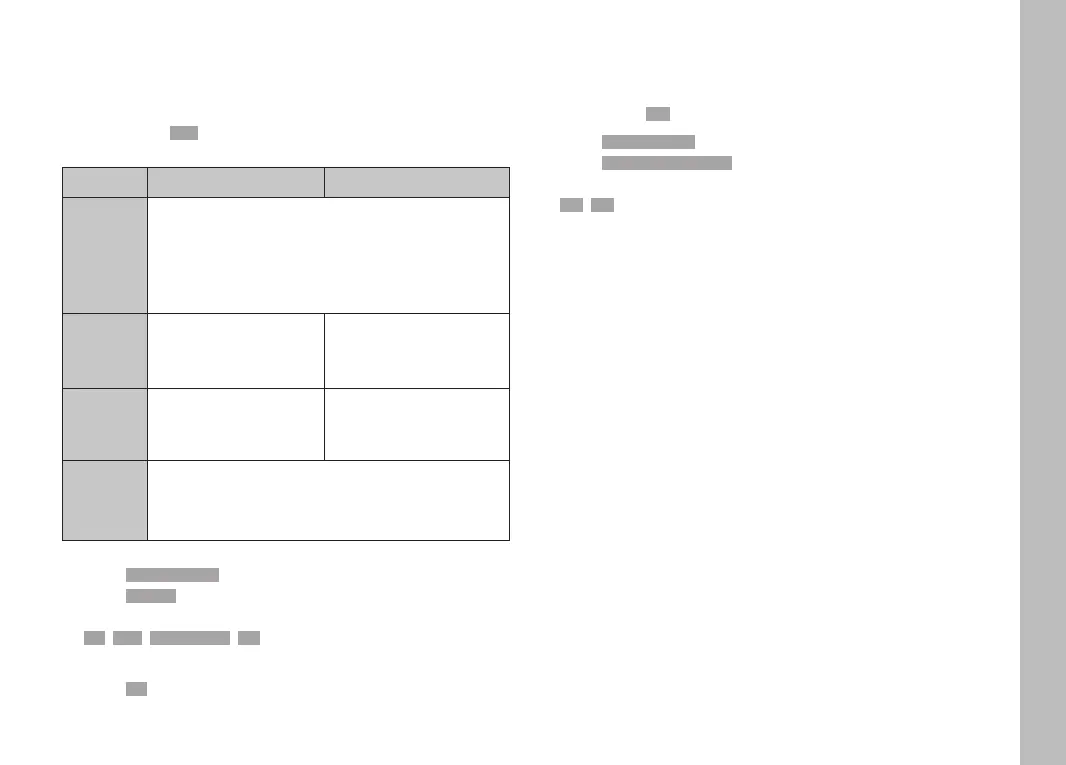
LCD PANEL/EVF USE
You can preset the situations in which EVF and LCD panel should
be used. The displays appearing on screen and in the viewfinder
are identical.
Factory setting: AutoAuto
EVF LCD panel
Auto
The eye sensor in the viewfinder automatically
toggles the camera between LCD panel and EVF.
• Recording
• Playback/Review
• Menu control
LCD
• Recording
• Playback/Review
• Menu control
EVF
• Recording
• Playback/Review
• Menu control
EVF
extended
• Recording
• Playback/Review
• Menu control
▸ Select Display SettingsDisplay Settings in the main menu
▸ Select EVF-LCDEVF-LCD
▸ Select the desired setting
(LCDLCD, AutoAuto, EVF ExtendedEVF Extended, EVFEVF)
Note
• Select EVFEVF if you want to keep the LCD panel switched off (e.g.
on dark environments).
EYE SENSOR SENSITIVITY
You can adjust the eye sensor sensitivity to ensure that the
changeover functions reliably if you wear eyeglasses.
Factory setting: LowLow
▸ Select Display SettingsDisplay Settings in the main menu
▸ Select Eye Sensor SensitivityEye Sensor Sensitivity
▸ Select the desired setting
(LowLow, HighHigh)



 To Next Page