Recording - Basic settings (picture & video)
EN
82
SHOW AVAILABLE
INFO BARS
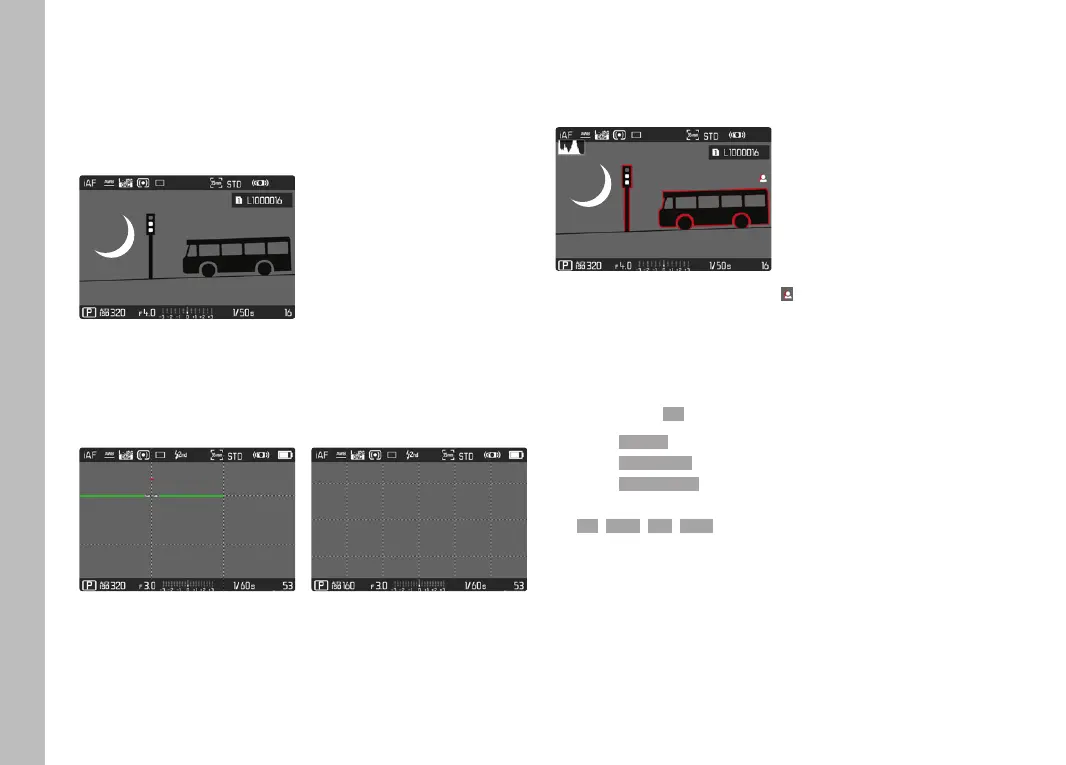
The header and footer lines show the currently active settings and
exposure values. See chapter "Displays" for a full list of the various
displays (see p.24).
GRID
The grids divide the image frame into multiple fields. They facilitate
picture composition and an exact camera orientation. The grid line
distribution can be adjusted to fit the object.
You can choose one of two grid displays. They divide the frame into
3x3 or 6x4 fields.
FOCUS PEAKING
This assist function highlights the edges of in focus subject
elements in color.
When Focus Peaking is activated, will appear to the right of the
frame with a display of the color used.
TAG COLOR
The color can be user-specified. This setting will apply for all info
profiles.
Factory setting: RedRed
▸ Select FocusingFocusing in the main menu
▸ Select Focus AssistFocus Assist
▸ Select Focus PeakingFocus Peaking
▸ Select the desired setting
(RedRed, GreenGreen, BlueBlue, WhiteWhite)



 To Next Page