Preparation
EN
32
CHARGING VIA USB
The rechargeable battery in the camera can be automatically
charged when the camera is connected to a computer or another
suitable power source via USB cable.
Factory setting:
OnOn
▸ Select Camera SettingsCamera Settings in the main menu
▸ Select
USB ChargingUSB Charging
▸ Select OnOn/OffOff
Notes
• The camera will only charge while it is switched off . The charging
process will be interrupted as soon as the camera is switched
on. The camera will be displayed as a USB storage medium if an
SD card is inserted (see p.189).
• Charging does start automatica.
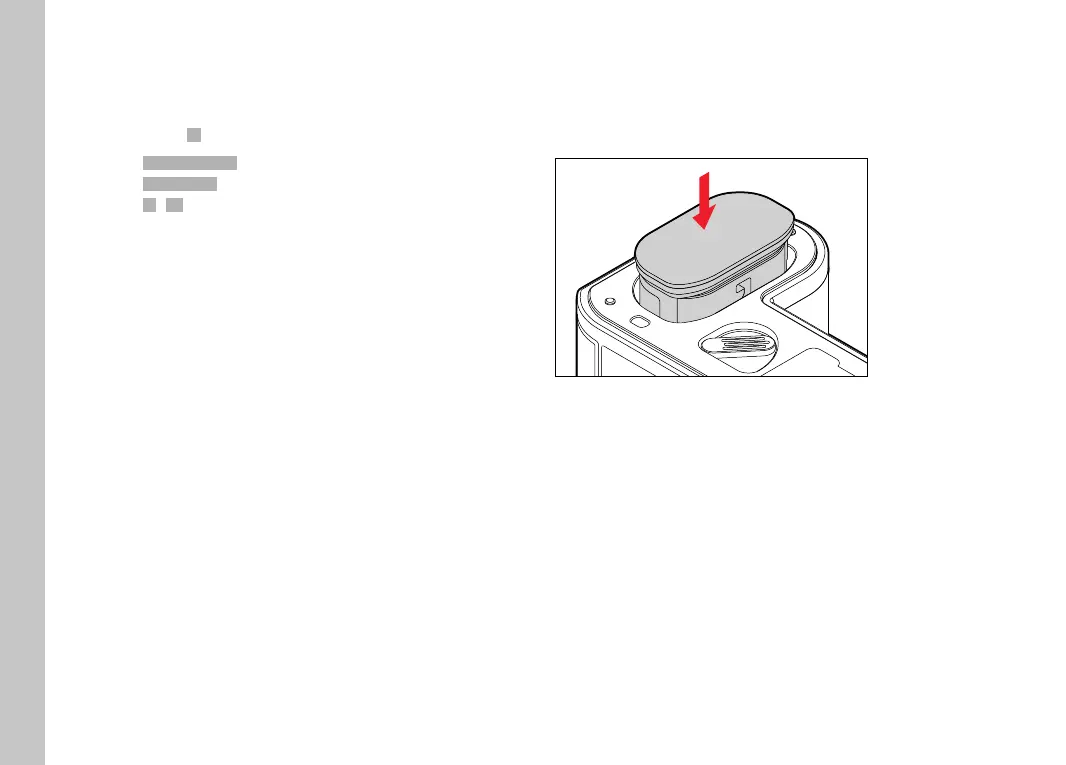
INSERTING/REMOVING THE BATTERY
▸ Ensure that the camera is switched OFF (see p.46)
INSERTION
"click"
▸ Insert the battery into the slot with the groove pointing towards
the LCD panel and gently push until you hear and feel it clicking
into place



 To Next Page