Recording - Basic settings (picture & video)
EN
78
RECORDING – BASIC SETTINGS
(PICTURE & VIDEO)
The settings described in this chapter apply for picture and video
mode alike. They are therefore available in the picture and video
menu (see chapter "Camera Operation" under "Menu Control"). A
setting selected in one of the modes will also apply to the other.
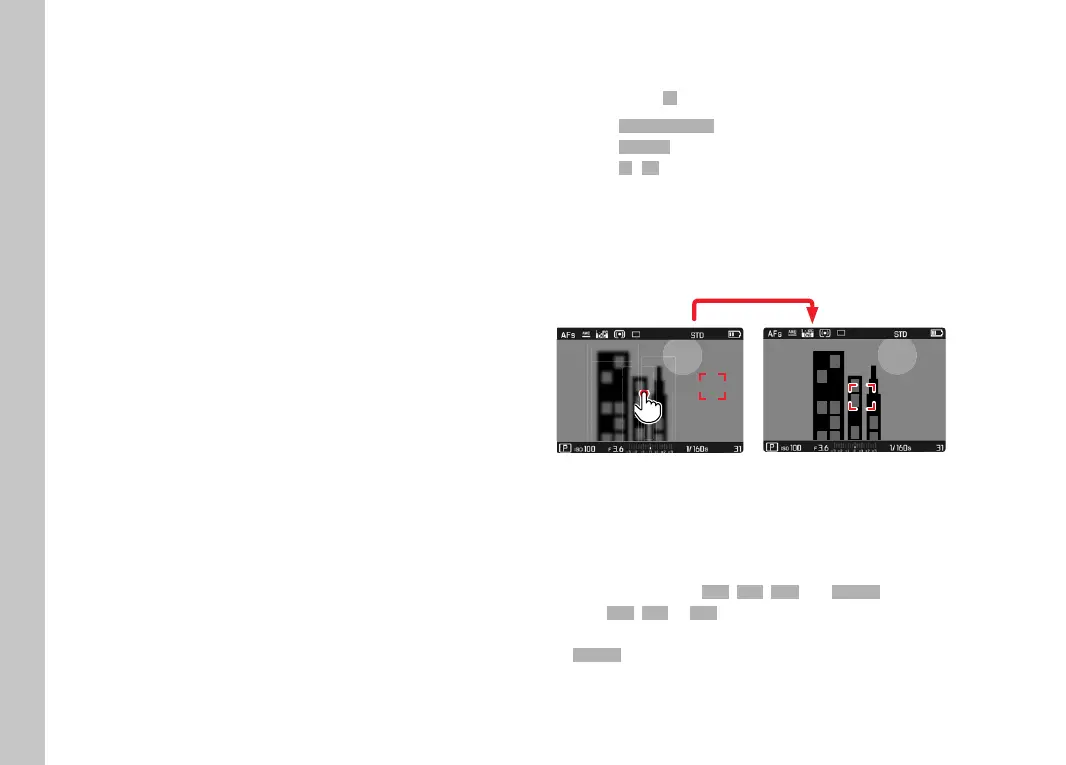
TOUCH AF
Touch AF allows a direct placement of the AF metering fi eld.
Factory setting:
OnOn
▸ Select Camera SettingsCamera Settings in the main menu
▸ Select
Touch AFTouch AF
▸ Select OnOn/OffOff
Positioning the AF Metering Field
▸ Briefl y tap the LCD panel in the desired position
or
▸ Swipe at desired position
1/80002.8F 12500ISO EV
-3 2 1 0 21 3+
823412MP
To move the metering fi eld back to the center of the screen
▸ Double tap the LCD panel
Notes
• This function is available in conjunction with the following AF
metering methods:
SpotSpot, FieldField, ZoneZone and TrackingTracking.
• With
SpotSpot, FieldField or ZoneZone metering selected, the camera will
immediately focus again automatically. If the metering method
TrackingTracking is selected, the metering fi eld will remain at the selected
position and autofocus commences when the shutter button is
tapped.



 To Next Page