EN
Playback/Review mode
177
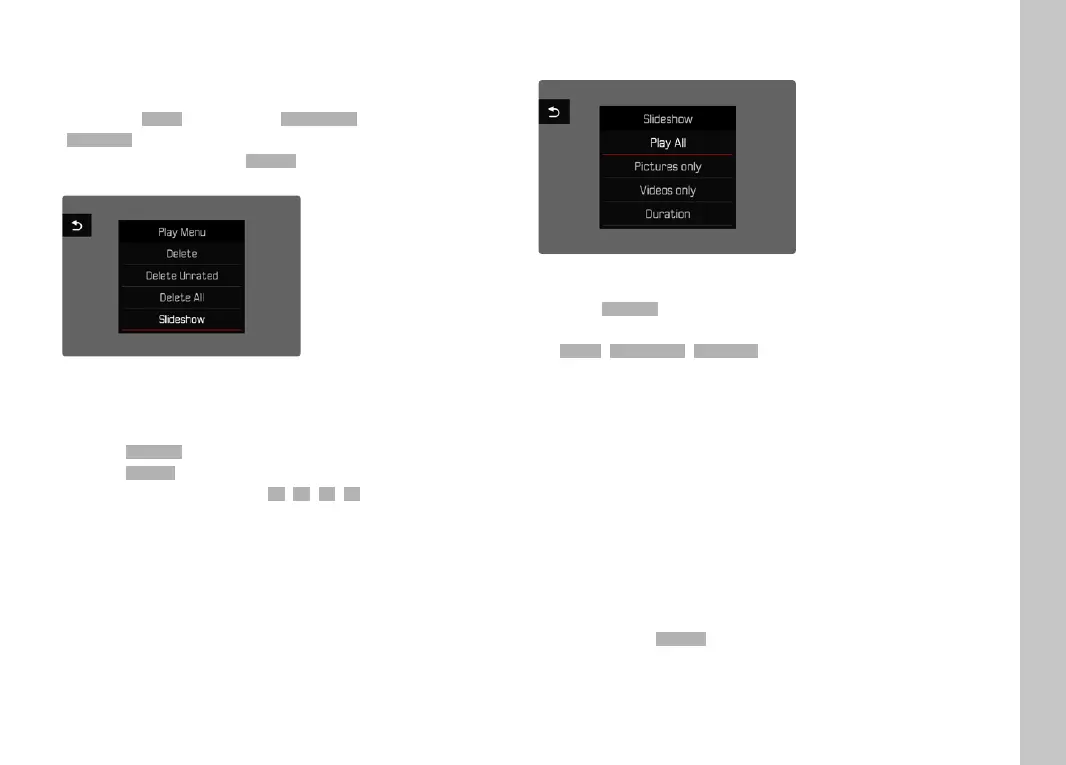
SLIDESHOW
A slide show function is available in Review mode, in which the
saved images are shown automatically in series. Choose to see all
recordings (
Play AllPlay All), only photos (Pictures OnlyPictures Only) or only videos
(
Videos OnlyVideos Only) should be displayed. For photos, select how long each
image should be displayed (
DurationDuration).
SETTING THE DURATION
▸ Press the MENU button
▸ Select
SlideshowSlideshow in the Review menu
▸ Select
DurationDuration
▸ Select the desired duration (1 s1 s, 2 s2 s, 3 s3 s, 5 s5 s)
STARTING THE SLIDE SHOW
▸ Press the MENU button
▸ Select
SlideshowSlideshow in the Review menu
▸ Select the desired setting
(
Play AllPlay All, Pictures onlyPictures only, Videos onlyVideos only)
• The slide show will start automatically with the selected
recordings and runs in an endless loop until it is exited.
ENDING THE SLIDE SHOW
▸ Press the PLAY button
or
▸ Tap the shutter button
• The camera switches to the relevant mode.
Notes
• An intermediate screen may appear while the data is prepared
for playback.
• The settings in
DurationDuration remain intact even after the camera is
switched off and on again.



 To Next Page