EN
Video Mode
157
MANUAL SETTING VIA METERING
( GraycardGraycard/ Graycard Live ViewGraycard Live View)
The variant GraycardGraycard is suited best for subjects in which you can
clearly identify a neutral gray or pure white area. If not, or should
you base your metering on an off-center detail, then
Graycard Live ViewGraycard Live View will be a better choice.
Note
• A value configured using this method will remain unchanged (i.e.
it will be used for all subsequent photographs) until new
measurements are taken or one of the other white balance
settings is selected.
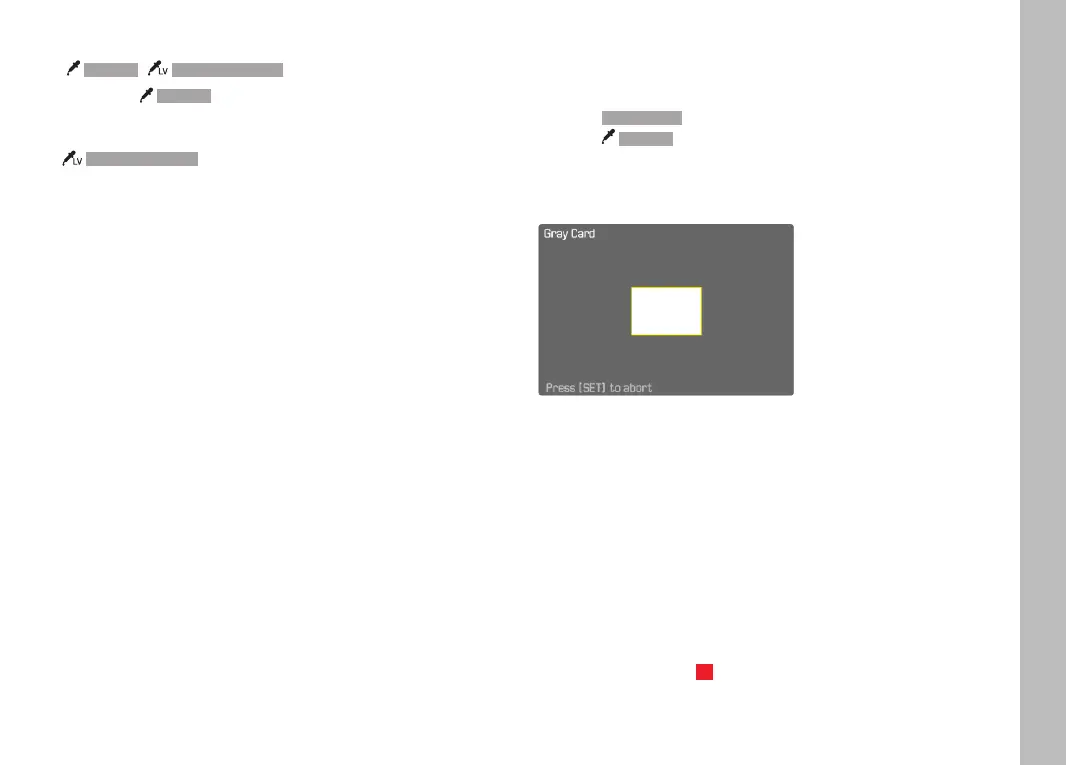
GRAY CARD
This metering variant captures all color hues in the metering field
and uses these to calculate a mean gray value.
▸ Select White BalanceWhite Balance in the main menu
▸ Select GraycardGraycard
• The following will appear on the LCD panel:
– the image based on automatic white balance
– a frame in the center of the image
▸ Aim the metering field at a white or neutral gray area
• The screen image changes dynamically in line with the
reference area in the frame.
Taking measurements
▸ Shutter release
or
▸ Press the joystick/thumbwheel
• The measurement is taken.
Canceling the measurement
▸ Press the FN button (25)



 To Next Page