EN
Playback/Review mode
169
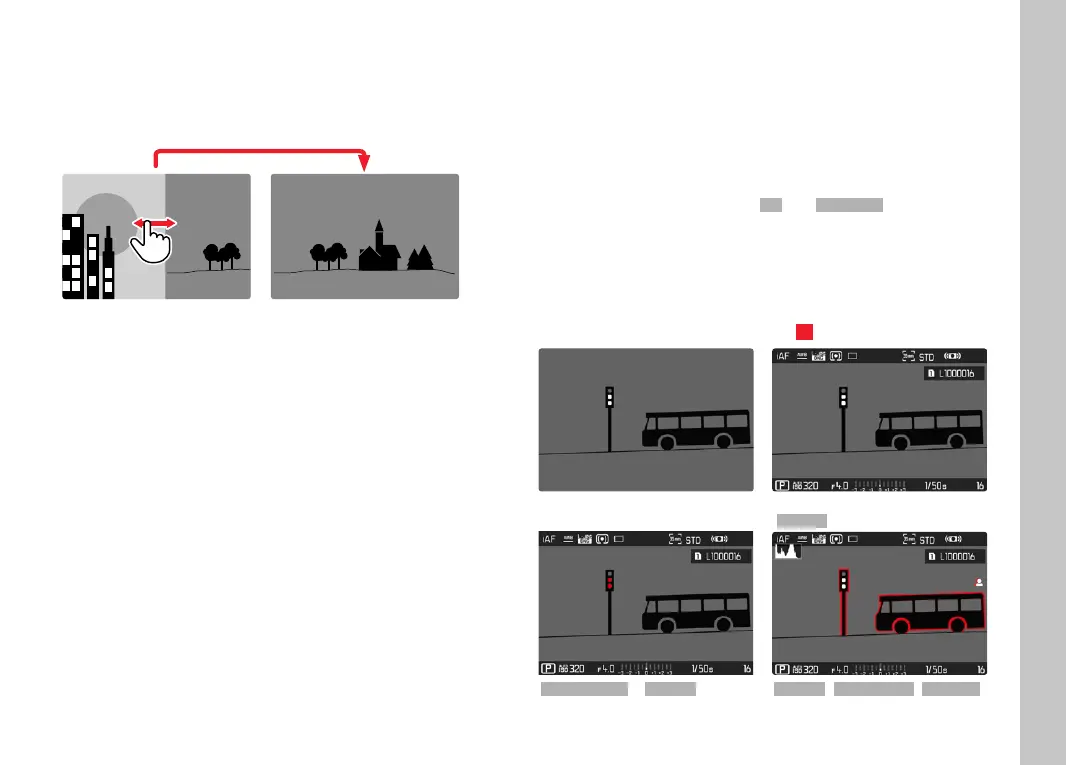
CONTINUOUS
▸ Swipe to the left or right and hold the fi nger on the edge of the
screen
• The subsequent recordings will move past continuously.
INFO DISPLAYS IN PLAYBACK/REVIEW MODE
The same info profi les are available in Playback/Review mode as in
recording mode. The actual info profi le currently in use, however, is
saved separately. It is therefore possible to use an empty info
profi le completely without assist function icons in Playback/Review
mode, without having to set them again when switching to
recording mode. See S.80 for setting options and additional
information. The assist functions
GridGrid and Level GaugeLevel Gauge are not
available in Playback/Review mode.
DISPLAYING ASSIST FUNCTIONS
To switch between info profi les
▸ Press the FN button at the rear left (25)
Empty info profi le Recording data only
(
Info BarsInfo Bars)
Clipping / ZebraClipping / Zebra + Info BarsInfo Bars Info BarsInfo Bars, Focus PeakingFocus Peaking, HistogramHistogram



 To Next Page