EN
Playback/Review mode
167
FN BUTTONS IN PLAYBACK/REVIEW MODE
In Playback/Review mode, the FN buttons either have permanently
assigned functions or are without function.
The following FN buttons have assigned functions:
FN button at the rear left
(25)
Toggle Info ProfilesToggle Info Profiles
FN button at the rear top
(20)
EVF-LCDEVF-LCD
FN button at the top left
(4)
Tag recordings (Rate / UnrateRate / Unrate)
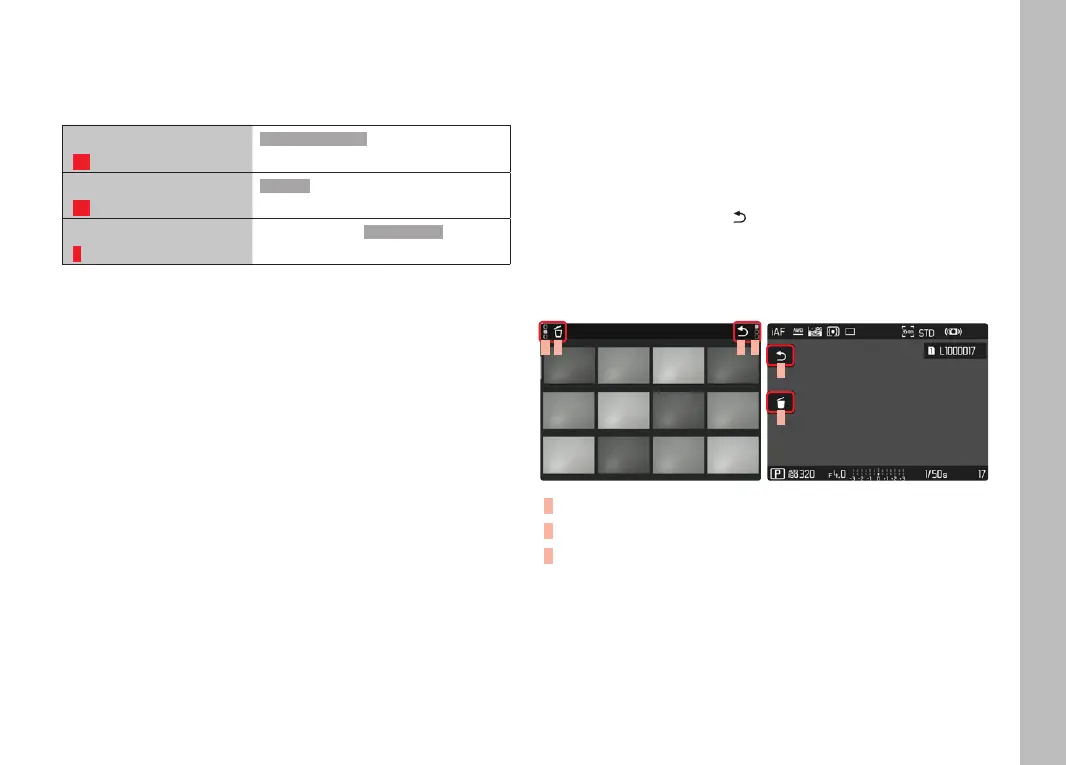
CONTROL ELEMENTS ON THE LCD PANEL
On-screen control elements generally function by intuitively by
touch. Many can also be selected by pressing one of the three
buttons to the left of the LCD panel. A control element in the
header is accompanied by an icon denoting the relevant button. A
control element on the edge of the screen will be positioned
directly next to the relevant button.
Example: The "Go back" icon can be selected in one of two
ways:
– Tap the "Go back" icon briefly right away
– press the relevant button
(top button = PLAY)
C B A C
A
B
A
Control element "Go back"
B
Control element "Delete"
C
Display of the relevant button



 To Next Page