Playback/Review mode
EN
172
Using button control
▸ Turn the front setting wheel in anti-clockwise direction
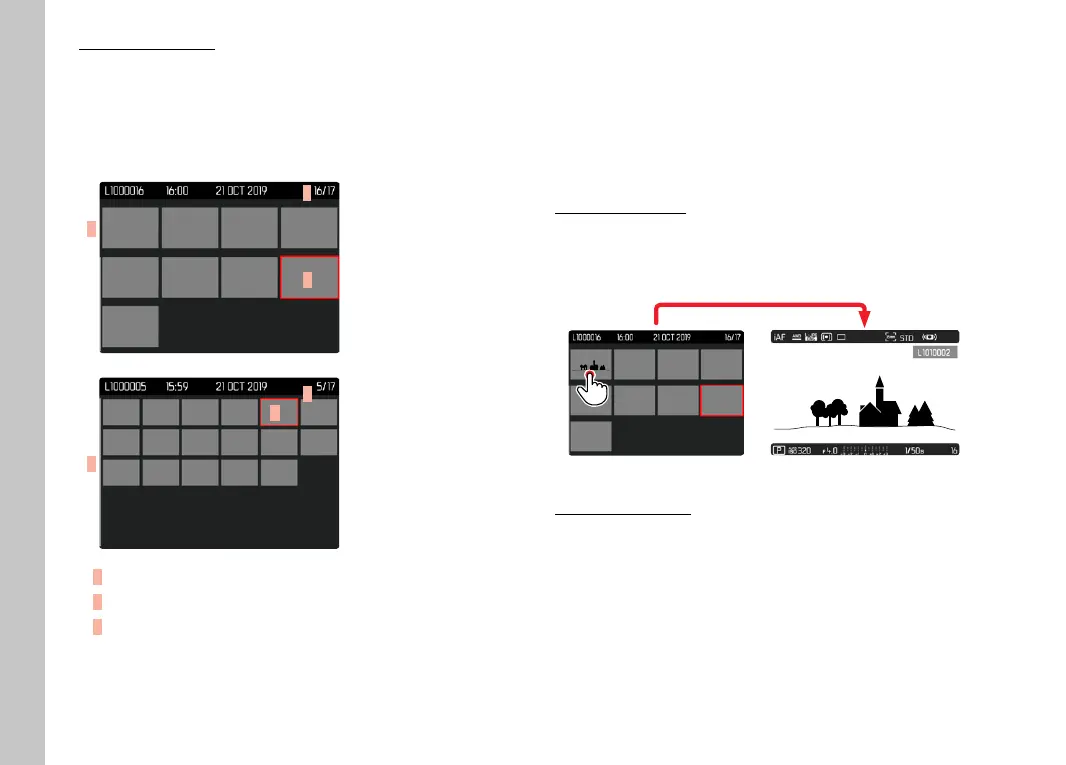
• 12 thumbnails are shown at the same time. Another turn on
the thumbwheel increases the number of displayed recordings
to 30.
A
B
C
A
B
C
A
Currently selected recording
B
Number of the currently selected recording
C
Scrollbar
The currently viewed recording is framed in red and can be
selected for a closer look.
To navigate between recordings
▸ Press the joystick in the relevant direction
or
▸ Turn the thumbwheel
To display the recording in full size
Using touch control
▸ Two-fi nger spread
or
▸ Briefl y touch the image
Using button control
▸ Turn the front setting wheel in clockwise direction
or
▸ Press joystick, thumbwheel or
PLAY button



 To Next Page