Preparation
EN
34
▸ Ensure that the camera is switched OFF (see p.46)
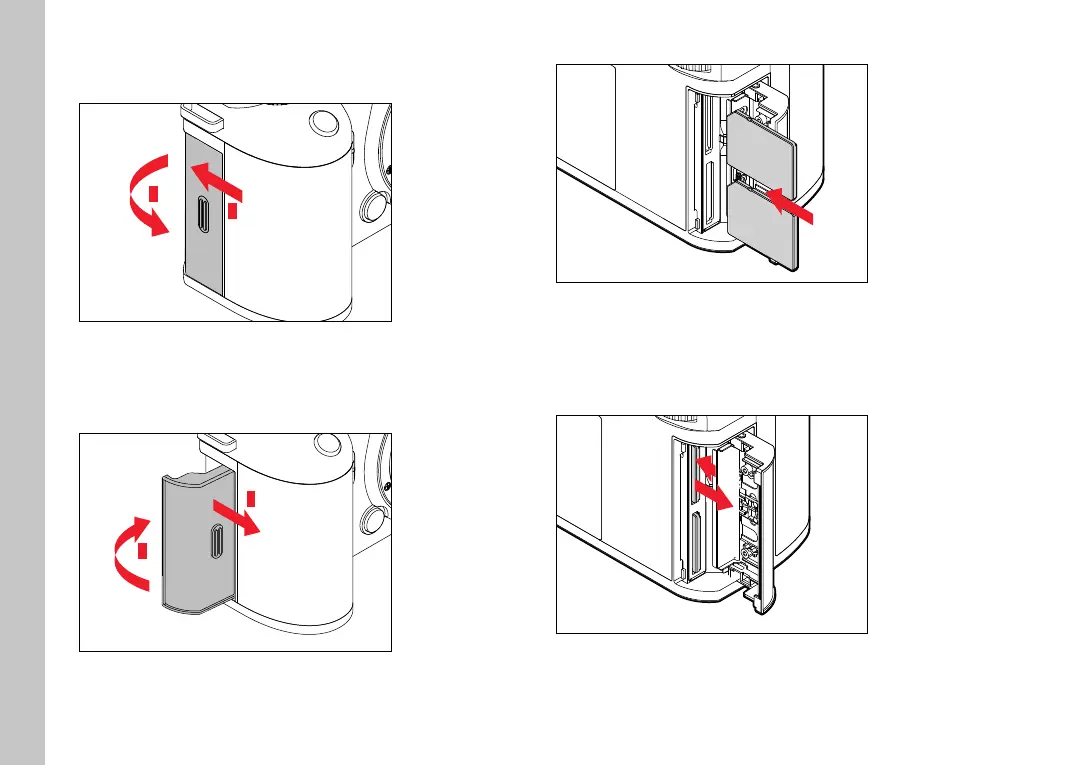
OPENING THE COVER OVER THE MEMORY CARD SLOT
1
2
▸ Slide the cover as shown in the illustration
• The cover lifts automatically.
CLOSING THE COVER OVER THE MEMORY CARD SLOT
2
1
▸ Close and hold down the cover
▸ Slide the cover as shown in the illustration until it audibly clicks
into place
INSERTION
"click"
▸ Push the memory card into the slot until you hear and feel it
clicking into place
• The beveled corner of the card must be at the top left.
REMOVAL
1
2
▸ Push down on the card until you hear a click
• The card pushes out slightly.
▸ Remove the memory card



 To Next Page