EN
Preparation
39
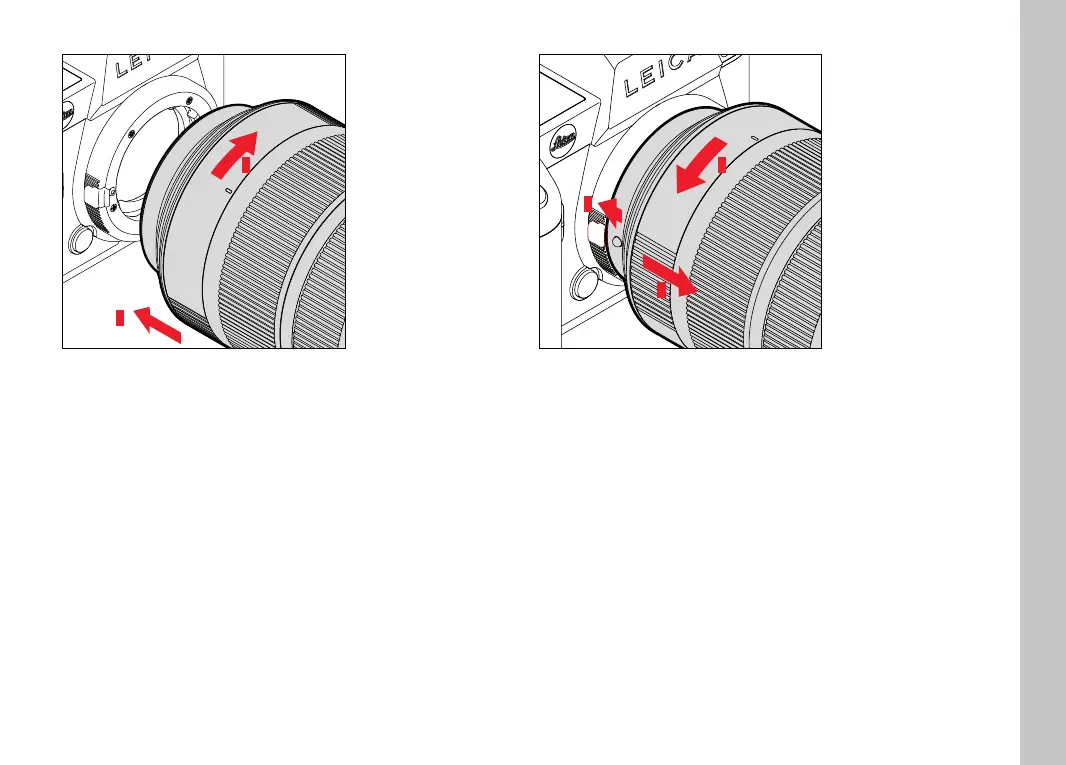
ATTACHING THE LENS TO THE ADAPTER
1
2
▸ Ensure that the camera is switched OFF
▸ Hold the lens on the fi xed ring
▸ Position the alignment point on the lens opposite the alignment
point on the adapter
▸ Attach the lens in this position
▸ Turn the lens clockwise until you hear and feel it click into place
DETACHING THE LENS FROM THE ADAPTER
1
2
3
▸ Ensure that the camera is switched OFF
▸ Hold the lens on the fi xed ring
▸ Press and hold the release button on the adapter
▸ Turn the lens counter-clockwise until its alignment point is
opposite the release button
▸ Remove the lens



 To Next Page