Camera operation
EN
54
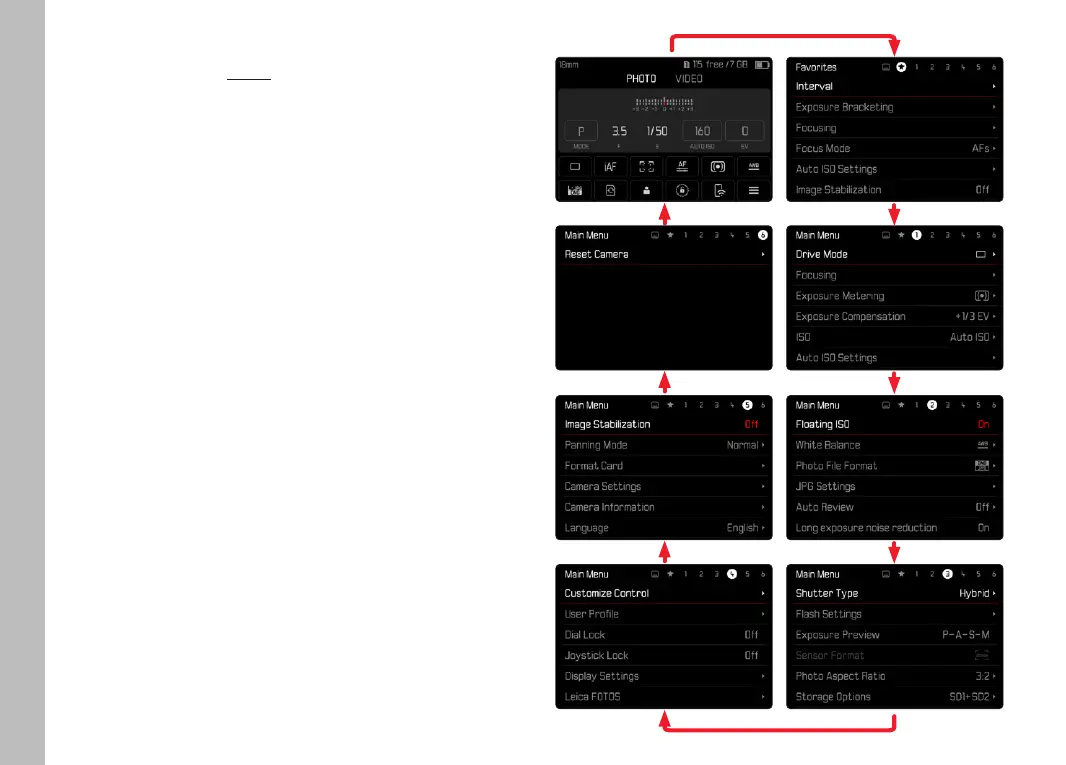
SWITCHING MENU SECTIONS
The status screen will always be displayed as the first menu
section. The top menu level is organized into pages, which are
displayed in the header line: Status Screen, Favorites Menu (up to
2 pages) and six subsections of the main menu. You can switch
between menu sections by scrolling through the pages. Alternative-
ly, the status screen and the favorites menu offer access to the
main menu as their respectively last menu item.
Scrolling forward
▸ Press the MENU button
or
▸ Turn the front setting wheel in clockwise direction
• The status screen will appear again after page 6 of the main
menu.
Scrolling backward
▸ Turn the front setting wheel in anti-clockwise direction
• Page 6 of the main menu will appear again after the status
screen.



 To Next Page