215585 35 Revision A
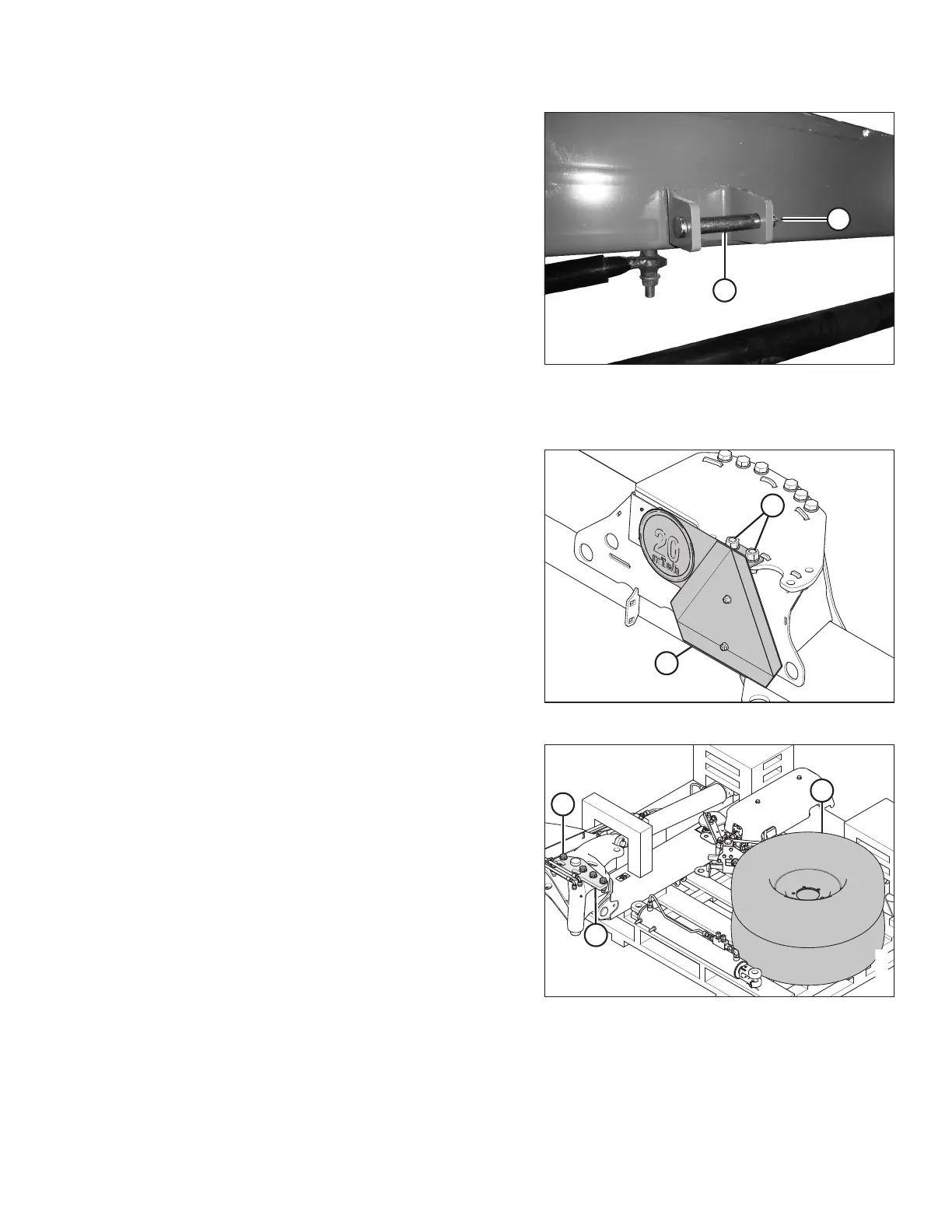
Figure 3.62: Latch Pin
12. Retrieve clevis pin (A) and cotter pin (B) from the shipping
bag and install onto the hitch bracket at the side of the
hitch as shown.
Installing Transport Assembly
Figure 3.63: SMV Sign Attached to Carrier Frame
1. Remove bolts (A), hardened washers, and nuts securing
slow moving vehicle (SMV) sign (B) to the carrier frame.
Remove the sign. Retain the sign for reinstallation. Discard
the two bolts, washers, and nuts.
Figure 3.64: Transport Packing
2. Remove transport wheels (A) from the pallet.
3. Remove five M20 hex head bolts (B), washers, and nuts in
transport assembly pin (C). Do NOT remove the pin.
ASSEMBLING THE ROTARY DISC PULL-TYPE – WITH OR WITHOUT THE DEALER-INSTALLED TRANSPORT





 To Next Page