215585 37 Revision A
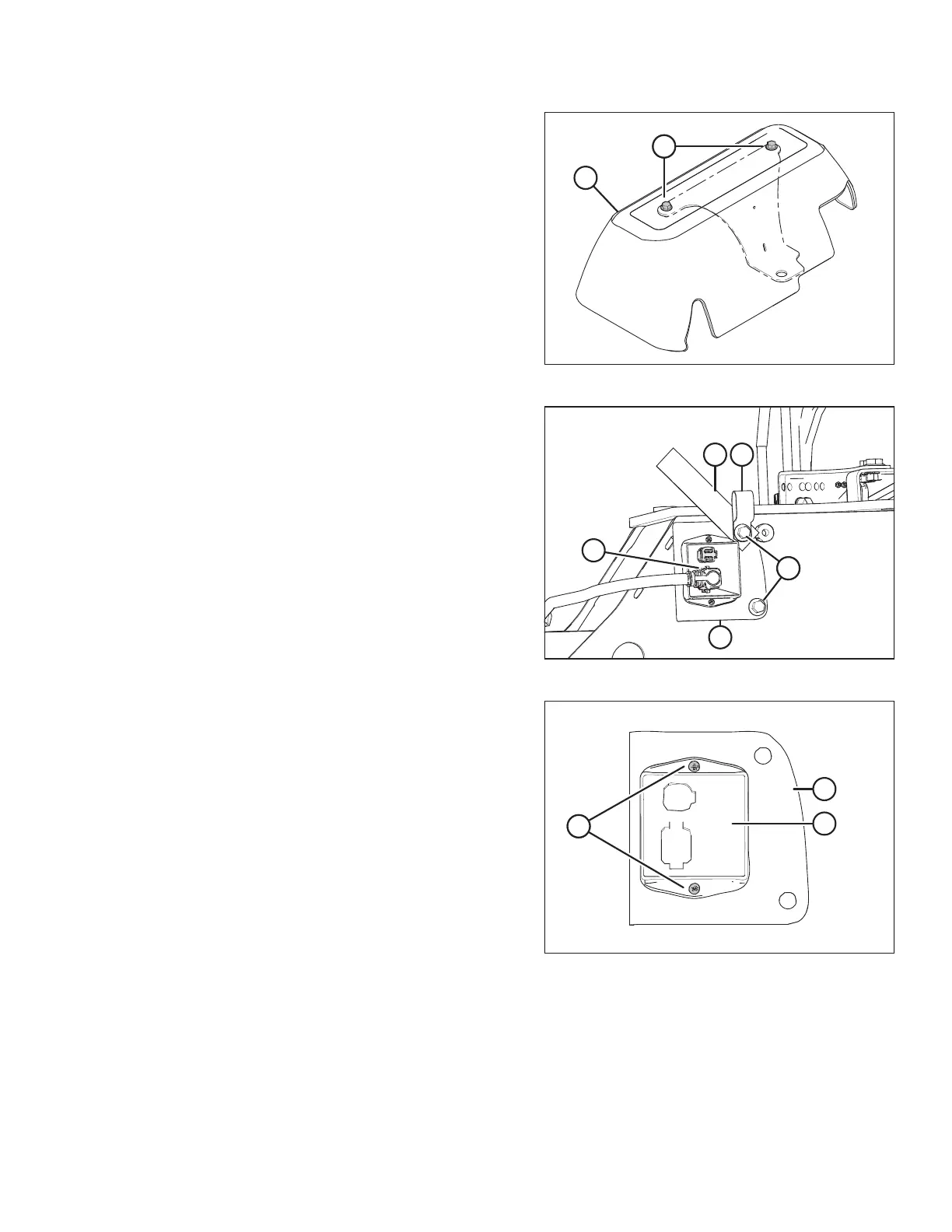
Figure 3.68: Cover Assembly
10. Retrieve cover assembly (B) from the shipping location.
11. Remove two bolts (A) from cover assembly (B). Retain the
bolts and cover for installation later.
Figure 3.69: Lighting Module Harness
12. Disconnect P301 (A) from the transport lighting module.
13. Remove bolts (B) and remove the transport lighting
module, complete with support bracket (C).
14. Discard P-clip (D) and tag (E).
Figure 3.70: Lighting Module Attached to Bracket
15. Remove two screws (A) and nuts attaching module (B) to
bracket (C). Retain module (B). Discard the two screws (A)
and nuts.
ASSEMBLING THE ROTARY DISC PULL-TYPE – WITH OR WITHOUT THE DEALER-INSTALLED TRANSPORT





 To Next Page