214880 98 Revision A
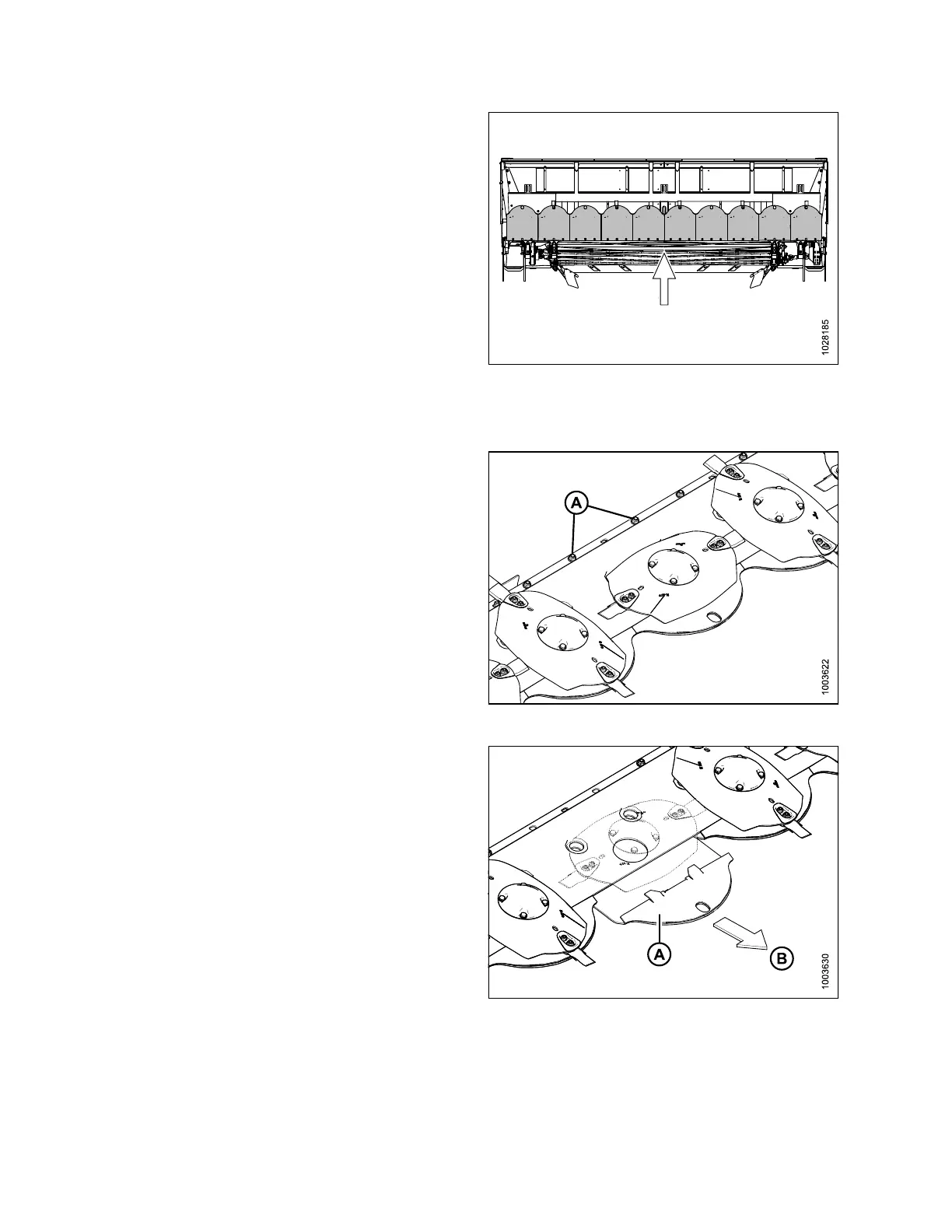
Figure 4.64: Rock Guards
4. Inspect rock guards for wear, cracks, damage, or distortion.
Replace if worn to 75% or more of their original thickness.
5. Check for loose or missing fasteners; tighten or replace
fasteners as needed.
Removing Rock Guards
Figure 4.65: Rock Guards
1. Remove two hex head screws, washers, and lock nuts (A).
Figure 4.66: Rock Guards
2. Slide rock guard (A) forward (in the direction of arrow [B])
and remove.
MAINTENANCE AND SERVICING


 To Next Page