214880 74 Revision A
Draining the Cutterbar
DANGER
To avoid bodily injury or death from unexpected startup of the machine, always stop the engine and remove the key
from the ignition before leaving the operator’s seat for any reason.
WARNING
Exercise caution when working around the blades. Blades are sharp and can cause serious injury. Wear gloves when
handling blades.
1. Start the engine and raise the disc header.
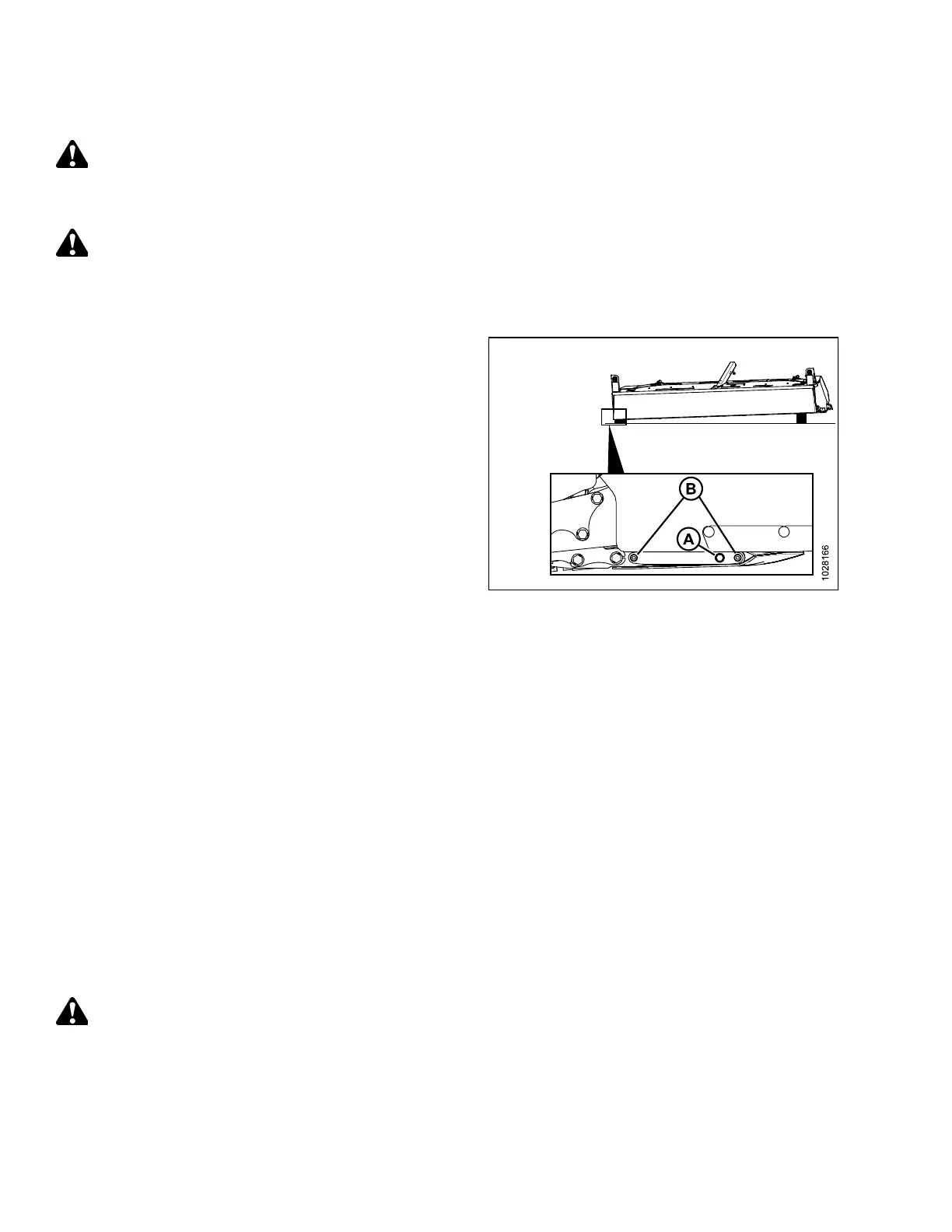
Figure 4.15: Draining Cutterbar
2. Place a block under each end of the disc header so the right
end is lower than the left end.
IMPORTANT:
Always drain lubricant from the right end of the disc
header. Draining lubricant from the left end of the disc
header may lead to breather contamination or failure.
3. Lower the disc header onto the blocks.
4. Shut down the engine, and remove the key from the
ignition.
5. Place a 10 liter (10.5 US qts) capacity container under lower
end of cutterbar, clean area around plug (A), and
remove plug.
IMPORTANT:
Do NOT remove hex head bolts securing cutterbar end
plate to cutterbar or lubricant leaks could result.
6. Allow sufficient time for lubricant to drain, then reinstall
cutterbar plug (A).
NOTE:
Do NOT flush the cutterbar.
7. Fill the cutterbar with lubricant before operating the disc
header. Refer to Filling Lubricant into a Repaired Cutterbar,
page 74 .
IMPORTANT:
Dispose of used lubricant responsibly.
Filling Lubricant into a Repaired Cutterbar
This procedure should be used when the cutterbar has been completely drained of oil. If you are checking oil level or
topping it up, refer to Checking and Adding Cutterbar Lubricant, page 71.
DANGER
To avoid bodily injury or death from unexpected startup of the machine, always stop the engine and remove the key
from the ignition before leaving the operator’s seat for any reason.
MAINTENANCE AND SERVICING



 To Next Page