- 12 -
• Enter a name in order to identify the device in the DEVICE NAME FIELD.
• Tap Ok to save the data; if the device has not connected yet, the message “E
R-
ROR OPENING DRIVER” is displayed.
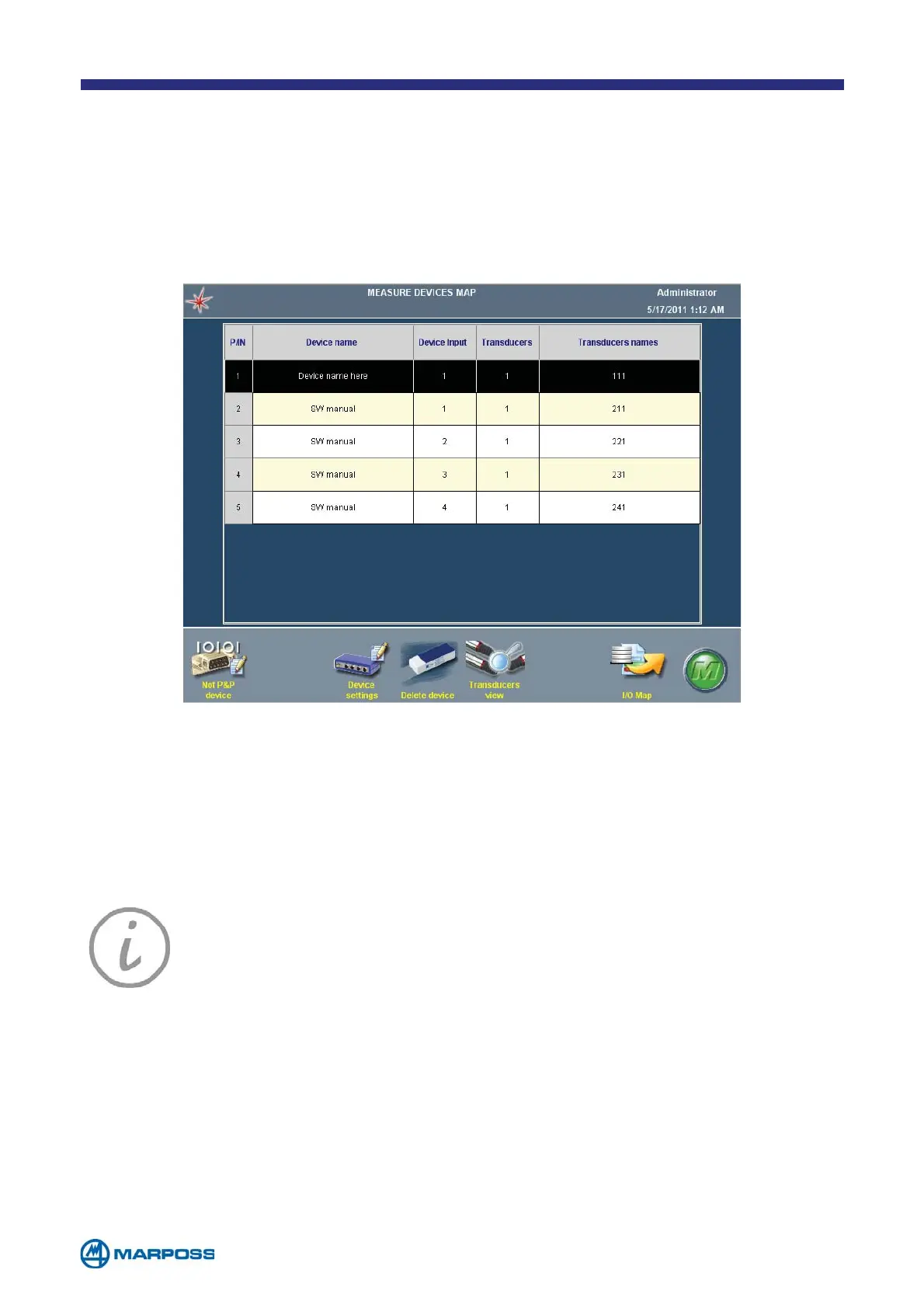
As new devices are entered the M
EASUREMENT DEVICES MAP begins to fill up, displaying
a line for every input available on each device.
NOTE: if more than one device of the same type is connected make a
note of the order in which they were connected; this is because, if it is
necessary to disconnect them they must be reconnected in the same
order otherwise Merlin will fail to recognize them.
Key: Each transducer is identified by a three figure value, for example,
T213. The first figure identifies the device, the second the channel and the
third the instance. Hence, the transducer identified as T213 corresponds
to the third instance of the first transducer on the second device.
NOTE: If a DigiCrown network with more than 9 transducers, it may be
necessary to use 4 figures to identify the transducers (e.g. T1121). In this
case, the middle two figures indicate that it is the twelfth transducer on
the network.
NOTE: If it is necessary to modify a device type that has already been
configured, the system checks that the new type has the same number
of inputs, and hence that it is compatible with the previous type. This is
especially useful when replacing a faulty device.



 To Next Page