- 22 -
2.5 Input reading
2.6 Transducers view
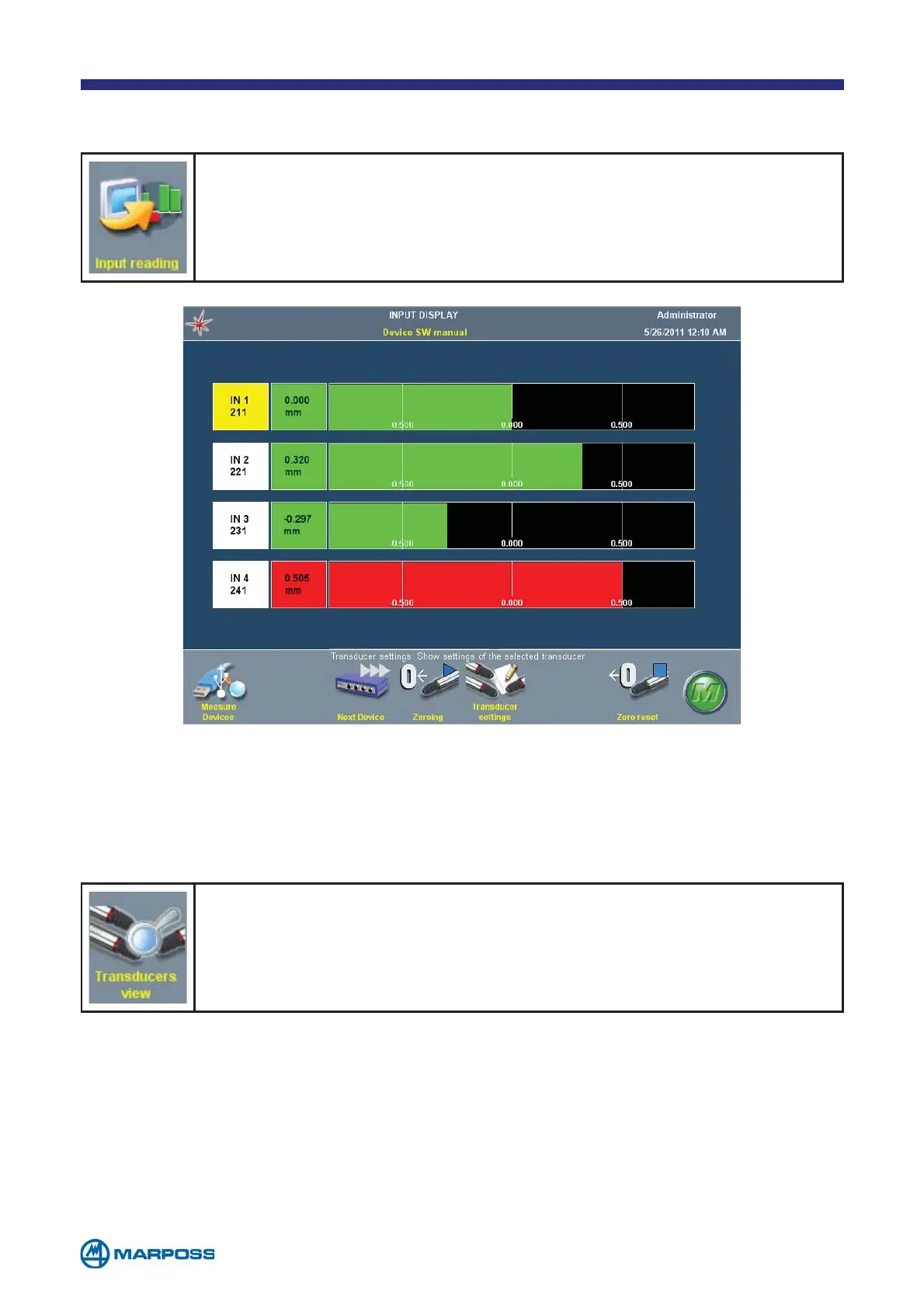
Once the transducer programming procedure has been completed,
it is possible to check the transducers by tapping on R
EAD INPUTS.
This opens the Input page where the individual transducer readings
are displayed in real time.
If the MULTIPLE TRANSDUCER INSTANCE on the MEASUREMENT DEVICES MAP page has
been activated in the settings, the operator can use the T
RANSDUCERS MAP
command to view the various different transducer instances which are
available.
Defining more than one instance, for the same transducer, enables the system to
use multiple transducers in the measurement formula on the same device and in-
put; in fact, the transducers connected to a given device input may have different
measurement ranges, sensitivities etc., the different instances are identified by the
third figure in the T
RANSDUCER NAME field.
For example: T121 and T122 are two instances of the first device second channel.
The A
DD and DELETE commands can be used to add or delete a new instance.
The user can create up to four instances for each channel.
The ZEROING and the ZERO RESET functions allow to set/reset a zero value on the
transducers. This value is for set-up purpose only, and does not affect the measu-
rement value.



 To Next Page