- 9 -
When the operator selects the language from the general Menu, the software opens the
corresponding keyboard and handles all the communications with the IME and selects
the appropriate O.S. settings for the specific input language.
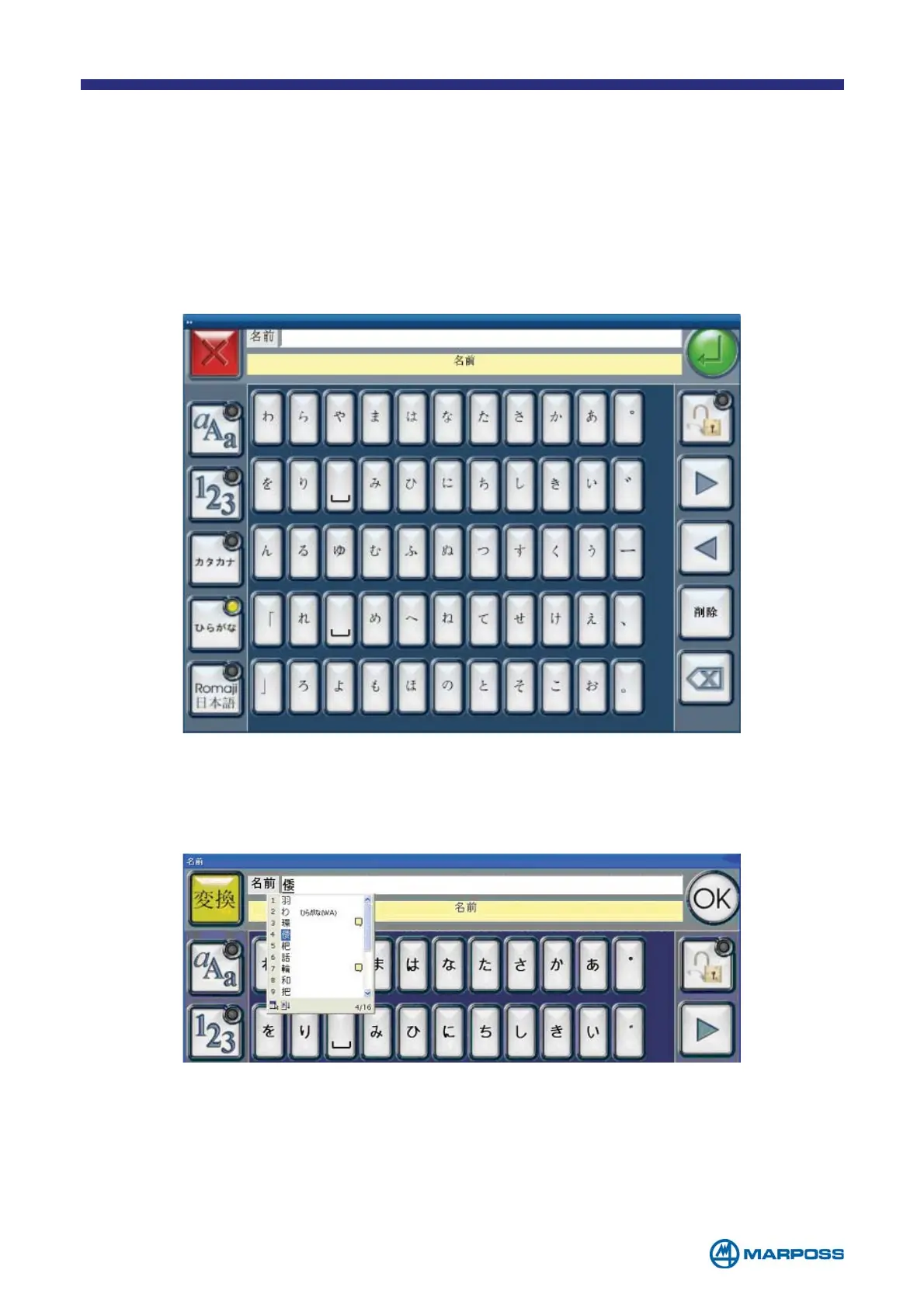
In the case of Japanese, it is possible to select between 3 different keyboard types:
Hiragana, Katakana, Romanji, in additional to the traditional versions. When the operator
taps a button, the corresponding character is displayed in the text box at the top of the
page.
The EXIT key is replaced with a character selector key and the Enter key is replaced
by the OK button, which is used to confirm the character selected from the list.
Once the operator has finished entering the string, the standard buttons reappear
and it is possible to confirm the input by tapping the E
NTER button.
1.5.1 Using the Japanese keyboard (Hiragana or Katakana)



 To Next Page