- 92 -
APPENDIX - Configuring the Windows® CE Operating System
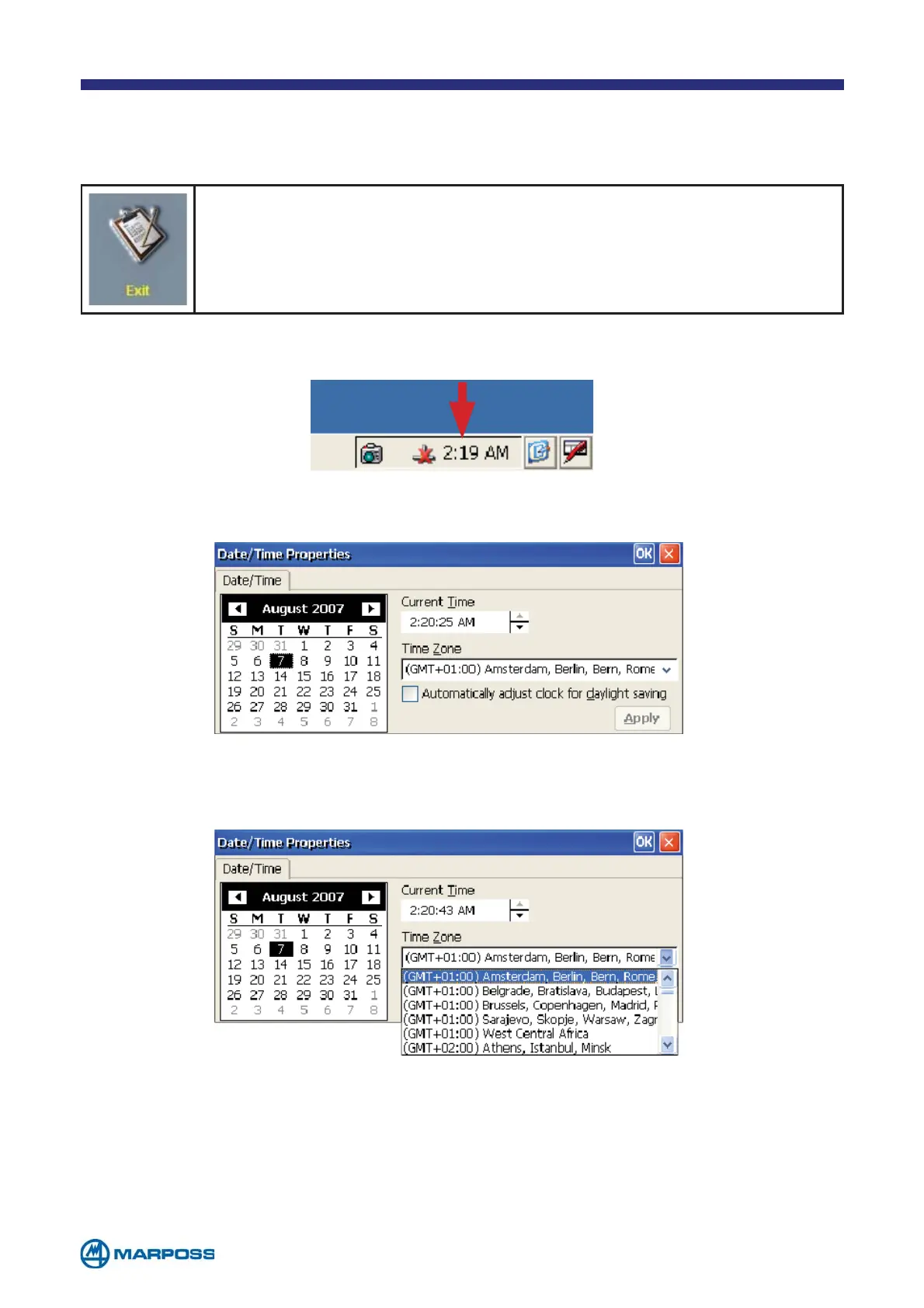
From the menu tap on the EXIT button to exit the measurement sof-
tware. Merlin enters the Windows® CE Operating System.
Double tap on the digital clock displayed in the bottom right hand corner of the screen.
The date/time setting Windows® is displayed.
Select the desired time zone from the drop down menu.
Changing the Merlin date/time



 To Next Page